

RenameClick
Rename and organize files offline using AI based on their content.



Overview
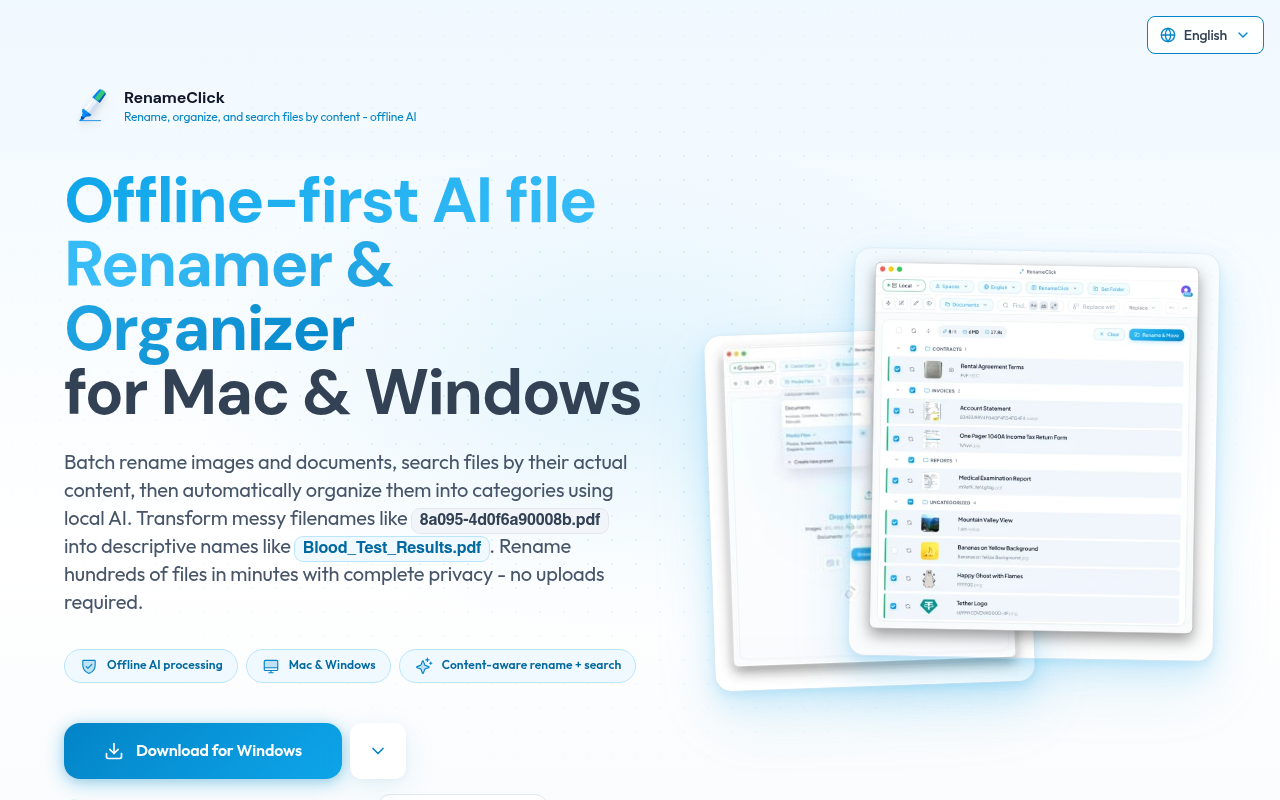
RenameClick is an offline-first AI tool for renaming and organizing files by content on macOS and Windows. It helps users transform unclear file names into descriptive ones and automatically sorts them into folders, all while ensuring data privacy with local processing.
Key Features
Offline Processing
Ensures privacy by processing files entirely on your device.
Batch Renaming
Rename hundreds of files at once, saving significant time.
Content Understanding
Analyzes file content to suggest meaningful names.
Language Support 8
Generates file names in multiple languages for global use.
Custom Instructions
Define AI prompts to tailor naming conventions.
File Organization
Automatically categorizes files into folders based on content.
Pricing Paid
Free
Unlimited file processing, 30 credits/month for changes, AI search by content is free
Pro Monthly
Unlimited files, all AI features, cancel anytime
Pro Lifetime
Unlimited files forever, all AI features, lifetime updates
Pros & Cons
Pros
- Supports a wide range of file types including images and documents
- Processes files locally to ensure privacy
- Batch renaming feature saves significant time
- Allows custom AI instructions for specific needs
- Multi-language support for global users
Cons
- Requires a dedicated GPU for optimal performance
- Not suitable for cloud-based workflows
- Initial setup may require technical knowledge
Frequently Asked Questions
What is RenameClick?
RenameClick is an offline-first AI tool that intelligently renames and organizes files based on their content for macOS and Windows users.
Do I need a GPU?
A dedicated GPU with 4GB VRAM is recommended for the best experience, as local LLMs perform better with GPU.
Does RenameClick work offline?
Yes, RenameClick processes files locally on your device and does not require an internet connection unless you opt for cloud providers.
How does batch renaming work?
Users can drag and drop files into the tool, which then analyzes content and suggests new names that can be applied in one click.
What file types are supported?
RenameClick supports common image formats like JPG and PNG, as well as document formats such as PDF and DOCX.
23 Alternatives to RenameClick

VoiceAppear
Dictate text three times faster than typing.
AINiro
AI Solutions For Chatbots, Workflows, Search & More
Bolt AI
Native AI Assistant for Developers, Writers & Students
Cassidy AI
Build AI Automations & Assistants Trained on Your Business
Docs AI
AI Companion for Document Management
hiData
AI workspace for data, sheets, and presentations.Traffic Data
Traffic Sources
Top Countries
 United States
48.3%
United States
48.3%
 Germany
16.2%
Germany
16.2%
 India
11.4%
India
11.4%
 Brazil
11%
Brazil
11%
 Vietnam
7%
Vietnam
7%
Top Keywords
Engagement Metrics
User Reviews
Be the first to review RenameClick
Please log in to leave a review.