

Eesel
新しいタブを、作業ドキュメントやリンクを自動表示するワークスペースに置き換えましょう。



Overview
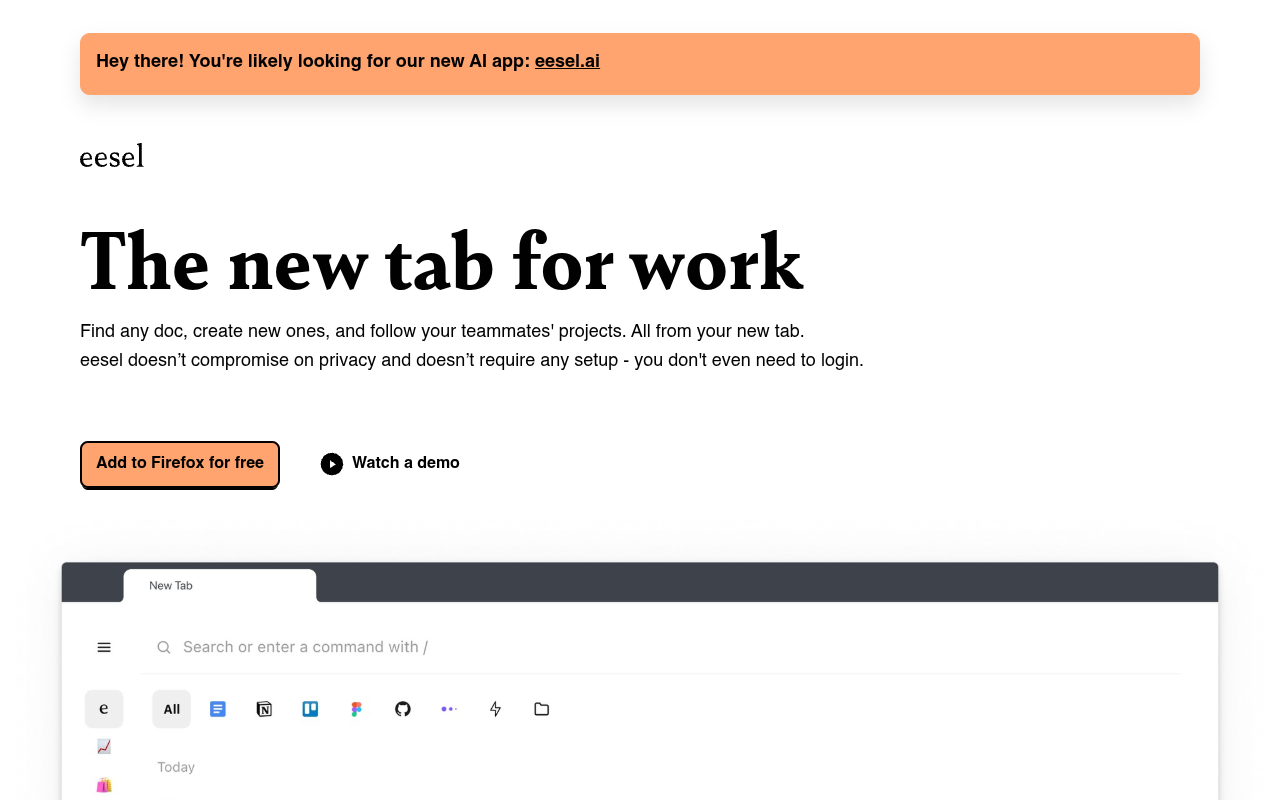
Eesel is a browser extension that replaces your new tab page with a smart workspace. It automatically surfaces work documents from your browsing history, making them searchable and accessible without manual organization. It requires no login or setup and works with any web app, including older intranets. Best for professionals who need quick access to scattered work links and docs.
Eeselは、控えめな新しいタブページを再考するブラウザ拡張機能です。空白のページや検索バーの代わりに、作業ドキュメントを自動的に表示します。アイデアはシンプルで、リンクを探すのをやめて、より速く作業を始めることです。ブラウジング履歴をフィルタリングして実際に必要なドキュメントを表示し、ブラウザで開くあらゆるWebアプリで動作します。これにはNotionやJiraのような最新ツールだけでなく、数十年前に構築された古い社内イントラネットも含まれます。
このツールは、複数のプロジェクトやツールをこなすナレッジワーカーを対象としています。サイトの testimonial によると、エンジニア、プロダクトマネージャー、営業チームが主なユーザー層のようです。あるユーザーは1日50回使用していると述べ、別のユーザーは新しい環境で最初にインストールする拡張機能だと語っています。ログインや設定が不要な点は真の差別化要因であり、ほとんどの生産性ツールは何か役立つことをする前にアカウントと設定を必要とします。
価格は現在無料で、有料プランは言及されていません。これは生産性ツールとしては異例ですが、長期的な持続可能性に疑問を投げかけます。プライバシー面は強固で、すべてのデータはブラウザ内にローカルに保存されます。主な制限はChrome拡張機能のみであるため、モバイルやブラウザ外では使用できないことです。仕事でブラウザに常駐しているなら、Eeselは試す価値があります。デスクトップアプリを多く使う場合は、あまり役に立ちません。
Key Features
Auto Document Surfacing
Automatically pulls work-related documents from your browsing history into your new tab page.
Universal Search
Search across all your work docs and links directly from the new tab, no manual tagging needed.
No Login Setup
Works immediately after installation with zero account creation or configuration required.
App Agnostic
Compatible with any web app you use, including older intranets and niche internal tools.
Privacy First
All data stays in your browser with no server-side storage or tracking.
History Filtering
Intelligently filters your browsing history to show only work-relevant documents.
Pricing FREE
Pros & Cons
Pros
- Zero setup — install and it works immediately
- No account or login required at all
- Automatically surfaces work docs without manual organization
- Works with any web app, including old intranets
- Privacy-focused; all data stays local in browser
Cons
- Only available as a Chrome extension, no mobile or desktop app
- No pricing page found — future monetization is unclear
- Relies on browsing history, which can include non-work clutter
Frequently Asked Questions
Do I need to create an account to use Eesel?
No. Eesel works right after you install the browser extension. You don't need to log in or sign up for anything.
How does Eesel know which documents are work-related?
It filters your browsing history automatically to surface documents you open for work. It learns from your usage patterns over time.
Does Eesel work with old or custom internal tools?
Yes. It works with anything you open in your browser, including older company intranets and niche web apps.
Is my data private with Eesel?
Eesel says it doesn't compromise on privacy. All your data stays in your browser and isn't sent to a server.
Is there a paid version of Eesel?
The website only mentions the free extension. No pricing page or paid tiers were found during review.
25 Alternatives to Eesel

Aeraブラウザ
ウェブタスクを自動化して時間を取り戻しましょう。
AIファイルリネーマー
AIを使って自動的にファイルの名前変更と整理を行います。
公理
Browser automation tool that lets you build bots with no-code,...
魔法をかける
AI自動化によるコンテンツ作成
Document360
チームと顧客のための効率的なナレッジベース管理
ETLR
コードとしてのAIワークフロー、数分で展開可能。Traffic Data
トラフィックソース
上位国
 アメリカ合衆国
34%
アメリカ合衆国
34%
 インド
16%
インド
16%
 スペイン
14%
スペイン
14%
 パキスタン
10.6%
パキスタン
10.6%
 ドイツ
9.6%
ドイツ
9.6%
上位キーワード
エンゲージメント指標
User Reviews
Be the first to review Eesel
Please ログイン to leave a review.