
Top 7 AI Spreadsheet Tools: Complete 2026 Comparison & Guide
Spreadsheets are the backbone of modern business operations—from financial planning to project tracking to data analysis. But traditional spreadsheets demand manual formula writing, time-consuming data entry, and hours lost to repetitive tasks. Enter AI-powered spreadsheet tools: platforms that understand natural language, automate tedious work, generate formulas instantly, and unlock hidden insights in your data.
In 2026, AI spreadsheets aren't a luxury—they're a productivity necessity. Whether you're a startup optimizing costs or an enterprise managing massive datasets, the right AI spreadsheet tool can deliver 30%+ efficiency gains, eliminate data entry errors, and transform how your team works with data.
This comprehensive guide compares the 7 best AI-powered spreadsheet solutions, explaining their features, pricing, and ideal use cases. Let's find the perfect tool for your workflow.

Why AI in Spreadsheets Matters: The 2026 Reality
AI-powered spreadsheet systems deliver measurable productivity gains that traditional spreadsheets cannot match. Here's what's transforming the space:
30% Efficiency Gain
AI automation eliminates data entry, formula writing, and manual formatting. Your team focuses on analysis and decision-making instead of administrative spreadsheet work.
Natural Language Formulas
Describe what you need in plain English. AI generates the complex formula. No more memorizing VLOOKUP syntax or Googling function definitions.
Instant Data Insights
AI automatically detects patterns, outliers, and trends in your data. Discover hidden relationships without manual analysis.
Smart Data Cleaning
AI identifies duplicate entries, inconsistencies, and formatting errors. Clean messy data automatically with a single command.
Essential AI Features in Modern Spreadsheets
Before comparing solutions, understand these core AI capabilities that separate leading spreadsheet tools from traditional platforms:
Natural Language Formula Generation
Type a plain-English description like "calculate total sales by region" and AI generates the correct formula. This eliminates the need to remember complex syntax like SUMIF, INDEX-MATCH, or VLOOKUP. Users new to spreadsheets can accomplish advanced tasks instantly.

Intelligent Data Cleaning & Error Detection
AI scans your spreadsheet to find duplicates, inconsistent formatting, missing values, and data entry errors. It suggests corrections and can clean data automatically. What takes hours manually now happens in seconds.

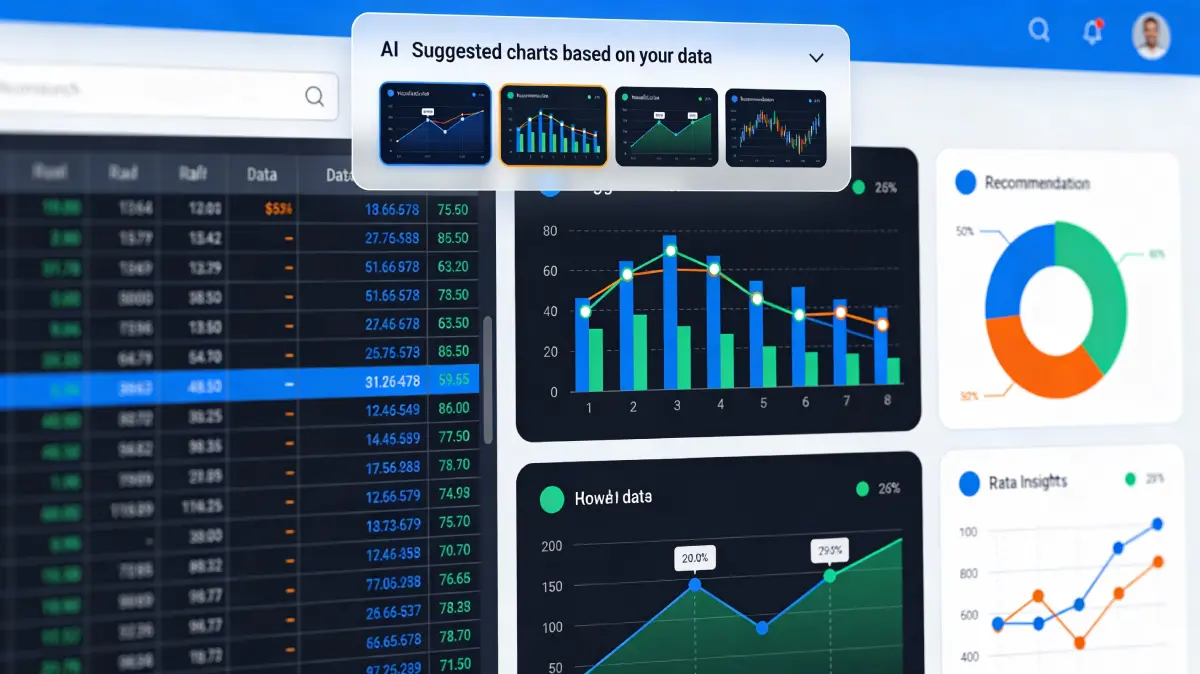
Automated Chart & Visualization Generation
AI analyzes your data and recommends the best chart type (bar, line, pie, scatter) to visualize it. It creates professional charts with optimal formatting. No more guessing which visualization best represents your data.
Smart Fill & Pattern Recognition
Provide a few examples in a column and AI recognizes the pattern, auto-filling thousands of rows. Whether it's date sequences, naming patterns, or calculated values, AI learns and completes your data automatically.
Predictive Insights & Anomaly Detection
AI identifies unusual patterns, forecast trends, and highlights potential data issues. Get alerts when values deviate significantly from expected ranges or when suspicious patterns emerge.

Workflow Automation & Task Scheduling
Set up automated workflows: refresh data on schedule, send reports via email, trigger actions when conditions are met. AI handles repetitive processes without manual intervention.

The 7 Best AI-Powered Spreadsheet Solutions for 2026
1. Google Sheets + Duet AI (Gemini)
Best for Teams & CollaborationBest For: Teams using Google Workspace, collaborative workflows, cloud-first companies | Starting Price: Included with Google Workspace (Business Standard $16/user/month)
Google Sheets combines real-time collaboration with powerful AI. Duet AI (powered by Gemini) offers smart fill, automatic chart generation, data cleaning, and the Explore feature for instant insights. Native Google Workspace integration makes sharing and real-time teamwork seamless.
AI Capabilities: Explore feature for automatic insights, smart fill with pattern recognition, =AI() function for custom operations, formula suggestions, chart recommendations, data cleanup | Unique Strength: Best real-time collaboration, unlimited Google Drive storage per user, works offline | Learning Curve: Easiest if already using Google Workspace
2. Microsoft Excel + Copilot
Most Powerful Enterprise OptionBest For: Enterprise organizations, Microsoft 365 users, complex data analysis | Starting Price: $6/month (Microsoft 365 Personal), $100+ for business plans with Copilot
Excel Copilot brings advanced AI to the world's most popular spreadsheet. It understands natural language queries, generates formulas, creates visualizations, and provides data insights. Deep integration with Microsoft 365 enables seamless workflow across Excel, Teams, and Outlook.
AI Capabilities: Natural language formula generation (500+ functions), Copilot for analysis questions, formula suggestions, data formatting, =LAMBDA() for custom functions, Python integration for advanced analysis | Unique Strength: Handles massive datasets efficiently, familiar interface for existing Excel users, deep Power BI integration | Trade-off: Higher pricing for enterprise Copilot access
3. Rows (Modern AI-Native Spreadsheet)
Best Modern AlternativeBest For: Teams wanting AI from the ground up, startups, automation-heavy workflows | Starting Price: Free plan available, Pro from $24/month
Rows is built from the ground up as an AI-native spreadsheet. Built-in GPT integration lets you type =AI prompts directly in cells. Features custom AI functions, powerful integrations (Shopify, Salesforce, HubSpot), and automation without coding. Modern interface with fast load times.
AI Capabilities: =AI() function for GPT integration, =classify_OpenAI() for classification tasks, =query_OpenAI() for content generation, no-code integrations (100+), real-time data refresh | Unique Strength: Most AI-native experience, extensive app integrations, built for automation, generous free tier | Note: Newer platform with smaller ecosystem than Excel/Sheets
4. Claude for Sheets (Add-on)
Best for Content & TextBest For: Content creators, data transformation, email generation, Google Sheets users | Starting Price: Free to install, API costs (Claude: $0.003-$0.03 per 1K tokens)
Claude for Sheets brings Anthropic's powerful AI directly to Google Sheets via the =Claude() function. Perfect for text generation, sentiment analysis, data extraction, content summarization, and bulk email personalization. Multiple Claude model options give you control over cost vs. capability.
AI Capabilities: Multiple Claude models (3 Opus, Sonnet 3.5, Haiku), =Claude() function for batch operations, sentiment analysis, content generation, data extraction, PII removal, QA generation, bulk text transformation | Unique Strength: Most powerful for text/content operations, granular model selection, custom system prompts | Best Use Case: Marketing copy generation, customer feedback analysis, personalized email campaigns
5. Bricks (Visual Dashboards & Reports)
Best for Non-Technical UsersBest For: Dashboard creation, visual reporting, non-technical users, business intelligence | Starting Price: Free with 50 AI credits/day, Pro plans from $20/month
Bricks combines spreadsheet data management with beautiful visual dashboards. AI automatically generates charts, creates reports, builds Kanban boards and calendars—all drag-and-drop, no coding. Professional-quality outputs rival dedicated BI tools but with spreadsheet simplicity.
AI Capabilities: Automatic chart/dashboard generation, smart layout recommendations, pre-built blocks (calendars, timelines, Kanban), natural language chart queries, AI-powered summaries | Unique Strength: Easiest for creating professional dashboards without design skills, beautiful visual output, minimal learning curve | Trade-off: More limited for complex formula work compared to Excel/Sheets
6. Numerous.ai (Cross-Platform)
Best for Excel & SheetsBest For: Power users on both platforms, diverse AI functions, sentiment analysis | Starting Price: Free trial, pricing from estimated $9-20/month
Numerous.ai works on both Excel and Google Sheets through add-ons. Create custom AI functions, use ChatGPT for batch operations, perform sentiment analysis on text columns, classify data automatically. Perfect for teams using multiple spreadsheet platforms.
AI Capabilities: Works on Excel AND Google Sheets, custom AI functions via ChatGPT, sentiment analysis, text classification, batch operations, personalization at scale | Unique Strength: Only major solution supporting both platforms equally, enables custom AI operations | Best For: Diverse AI tasks across Excel and Sheets
7. Zoho Sheet (with Zia AI)
Best Budget OptionBest For: Budget-conscious teams, SMBs, full business platform integration | Starting Price: Free tier available, from $3-5/month with Zia AI
Zoho Sheet delivers enterprise AI features at SMB pricing. Zia AI handles formula suggestions, data cleanup, predictive analysis, and workflow automation. Part of Zoho's complete business OS, enabling data flow across CRM, accounting, projects, and other tools.
AI Capabilities: Zia AI assistant for insights, predictive lead scoring equivalent for data, data cleanup suggestions, formula recommendations, anomaly alerts, voice commands via Zia | Unique Strength: Best value for AI features, integrates with Zoho's complete business platform, generous free tier with actual functionality | Standout: Most affordable enterprise AI capabilities
Comparison: Features, Pricing & Implementation

| Tool | Starting Price | Setup Time | Best Use Case | Strongest AI Feature |
|---|---|---|---|---|
| Google Sheets + Duet | $16/user/mo | Instant | Team collaboration | Explore insights |
| Excel + Copilot | $6-100+/mo | 1-2 hours | Enterprise analysis | Formula generation |
| Rows | Free - $24/mo | 15 minutes | Automation workflows | GPT integration |
| Claude for Sheets | API based | 5 minutes | Content generation | Text operations |
| Bricks | Free - $20/mo | 30 minutes | Dashboard creation | Visual generation |
| Numerous.ai | Free - $20/mo | 10 minutes | Cross-platform | Custom functions |
| Zoho Sheet | Free - $5/mo | 20 minutes | Budget teams | Value for money |
How to Choose: Decision Guide by Use Case
💰 Budget-Conscious Teams (Under $5/month)
Best Choice: Zoho Sheet | Zoho delivers serious AI capabilities at startling prices. Free tier is genuinely useful, and Zia AI covers 80% of what expensive tools charge $100+ for.
Runner-up: Google Sheets Free + Duet | If Google Workspace is already in your stack, Duet AI is included with paid plans. Free tier has limited AI features.
⚡ Instant Setup (Minutes, not hours)
Best Choice: Rows or Google Sheets | Both are web-based and require zero installation. Rows is AI-native; Google Sheets works with your existing documents. Claude for Sheets has the fastest setup (just install add-on).
🏢 Enterprise Complexity (Large teams, complex analysis)
Best Choice: Excel + Copilot | Superior at handling massive datasets. Handles complex financial models, forecasting, and deep analysis better than web-based alternatives. Integration with Power BI enables advanced visualization.
📝 Content & Text Operations (Email generation, classification)
Best Choice: Claude for Sheets | Unmatched for text work. Sentiment analysis, bulk personalization, content generation, email drafting—Claude's reasoning abilities dominate. Pair with best AI content generators for multi-platform workflows.
🎨 Dashboards & Visual Reporting (Non-technical users)
Best Choice: Bricks | Creates beautiful dashboards without design or technical skills. Output quality rivals dedicated BI tools but with spreadsheet simplicity and speed.
🔄 Real-Time Collaboration (Distributed teams)
Best Choice: Google Sheets + Duet | Real-time editing, instant sharing, built-in commenting, and version history. Perfect for teams spread across time zones.
🔗 Cross-Platform (Excel AND Google Sheets)
Best Choice: Numerous.ai | Only solution that works equally well on both. Deploy custom AI functions across your entire organization regardless of spreadsheet platform.
Implementing AI Spreadsheets: Best Practices
1. Start with Data Quality
AI is only as good as your data. Before implementation, audit your existing spreadsheets. Clean duplicate entries, standardize formatting, fill missing values. Spend days upfront; save months later.
2. Identify High-Impact AI Features
Don't try to use everything. Pick 1-2 AI capabilities with highest ROI for your workflow: natural language formulas, data cleaning, or chart generation. Master those first, then expand.
3. Train Your Team Early
AI features only deliver value if your team uses them. Allocate time for hands-on training. Show specific examples from real work. Quick wins build adoption momentum.
4. Monitor AI Quality & Accuracy
AI improves with feedback. Spot-check AI-generated formulas against manual calculations. Alert the tool to errors. Most platforms learn from corrections to improve future suggestions.
5. Integrate with Your Workflow
Connect your spreadsheet tool to customer service platforms, marketing automation, and accounting systems. Bi-directional data flow multiplies AI value across your stack. Discover how AI powers SEO workflows for insights on cross-platform integration.
6. Document Workflows & Formulas
Keep notes on complex AI formulas and automated workflows. Clear documentation helps team members understand logic and troubleshoot issues. Comment your cells when using AI-generated formulas.
Frequently Asked Questions About AI Spreadsheet Tools
Costs range dramatically: Free tiers (Zoho Sheet, Rows, Google Sheets Explore) require zero investment. Web-based AI spreadsheets ($5-25/month) work for small teams. Enterprise Excel + Copilot can exceed $100+/user/month. Hidden costs: migration ($500-5K), training (1-2 weeks staff time), integration setup (varies). ROI typically appears in 3-6 months through efficiency gains, time savings, and error reduction. Many organizations report 30%+ productivity improvement year one.
Yes. Most AI spreadsheet tools support CSV/Excel import. Google Sheets and Excel can import from each other without data loss. Zoho, Rows, and Bricks support standard imports. Challenges: complex formulas may not translate perfectly (especially Excel LAMBDA functions), custom formatting might not carry over, macros aren't portable. Plan for: data validation post-import, formula reconfiguration for complex models, 1-2 weeks testing. Small datasets (<50K rows) import in minutes; large datasets need planning.
For formula generation: Excel Copilot handles the most complex scenarios (500+ function knowledge). Google Sheets Duet is excellent for common formulas. Rows integrates GPT for creative formula approaches. For non-technical users, all major platforms make formula generation accessible. Test each with your specific use cases before committing. Formula accuracy typically reaches 85-95% depending on specificity of your natural language description.
No. Modern AI spreadsheet features are designed for non-technical users. Natural language formula generation, one-click data cleanup, automatic chart creation—all work without coding knowledge. Google Sheets, Rows, and Bricks are most user-friendly. Excel Copilot requires basic Excel familiarity but guides you through complex operations. Advanced customization (custom functions, complex automation) may require technical support, but core AI features are accessible to anyone.
All major platforms comply with GDPR, CCPA, and SOC 2 standards. Data encryption at rest and in transit is standard. Google and Microsoft encrypt data in their datacenters per your geographic selection. Zoho emphasizes strong privacy with owned infrastructure (not reliant on third-party cloud providers). For sensitive data: verify data residency policies explicitly, avoid storing PII if possible, consider on-premises options for enterprise. AI training happens on your data in secure sandboxes—vendors don't use your data to train public models.
Yes. Google Sheets and Excel integrate deeply with productivity suites. Rows has 100+ native integrations (Shopify, Salesforce, HubSpot). Zapier connects almost any platform to spreadsheets for workflow automation. Claude for Sheets extends Google Sheets functionality. Integration enables bi-directional data flow: pull data from your CRM into spreadsheets, have AI analyze it, push insights back to sales team. Consider your tech stack before choosing—tight integration multiplies AI value.
Quick wins (1-3 months): Formula generation saves hours per week. Data cleanup eliminates errors. Medium term (3-6 months): Automated workflows replace manual processes, dashboards improve decision speed. Full ROI (6-12 months): Team productivity +20-40%, fewer costly data errors, faster analysis enabling better business decisions. Conservative companies see ROI in 6-12 months; aggressive implementations with strong adoption can show ROI in 4-8 weeks. Measure: time saved per employee per week × hourly cost × team size.
Google Sheets and Excel have excellent export options to each other. Zoho exports cleanly to CSV/Excel. Rows and Bricks use standard formats but may lose some custom features during export. Avoid vendor lock-in: use standard data formats (CSV, Excel), avoid excessive custom formulas, keep documentation of complex logic. All major platforms support data export. Switching is easiest if you avoid building complex proprietary workflows that only work on one platform. Test data export before full commitment to a new tool.
AI reduces human error through multiple mechanisms: automatic duplicate detection and removal, format standardization, data validation against rules, anomaly detection for suspicious values, smart fill for pattern recognition (reduces manual entry errors). Studies show AI data cleaning reduces errors by 70-90% compared to manual entry. Natural language formula generation eliminates formula syntax errors. Automated workflows remove manual copy-paste mistakes. The net result: higher data quality, more reliable analytics, and better business decisions based on trustworthy data.
Choosing Your AI Spreadsheet Tool: Final Recommendations
For Startups & SMBs (Under $50/month budget): Start with Zoho Sheet. Zia AI delivers impressive capabilities at SMB pricing. Free tier is actually useful. Upgrade features as you grow.
For Teams Already in Google Workspace: Google Sheets + Duet AI is included. No additional cost, works seamlessly with Docs, Drive, and Gmail. Perfect for real-time collaboration.
For AI-First Workflows & Automation: Rows puts AI at the center. Built-in GPT integration, extensive app connections, modern interface. Best for teams embracing AI as workflow foundation.
For Content & Text Operations: Claude for Sheets is unmatched. Email personalization, sentiment analysis, bulk text transformation. Pair with AI video script generators for multi-channel content workflows.
For Beautiful Dashboards (Non-Technical): Bricks creates professional visuals without design skills. Quality rivals dedicated BI tools at spreadsheet speed.
For Enterprise Power & Complexity: Excel + Copilot handles massive datasets and complex analysis better than web-based alternatives. Deep Power BI integration for advanced visualization.
AI spreadsheets represent a fundamental shift in how teams work with data. The manual drudgery of data entry, formula memorization, and repetitive updates is becoming obsolete. Modern spreadsheets understand your requests in plain English, discover insights automatically, and eliminate errors through intelligent automation.
The right AI spreadsheet tool isn't just a productivity upgrade—it's a mindset shift from "how do I force Excel to do this?" to "what does my data tell me?" That perspective change unlocks better decision-making, faster analysis, and teams that spend their energy on strategy instead of spreadsheet mechanics.
Ready to explore more productivity AI? Discover AI affiliate marketing opportunities, learn AI affiliate marketing for beginners, or browse our complete directory of 1,700+ AI tools to transform your workflow.