

Room Design
Visualize your room designs instantly with AI.

Overview
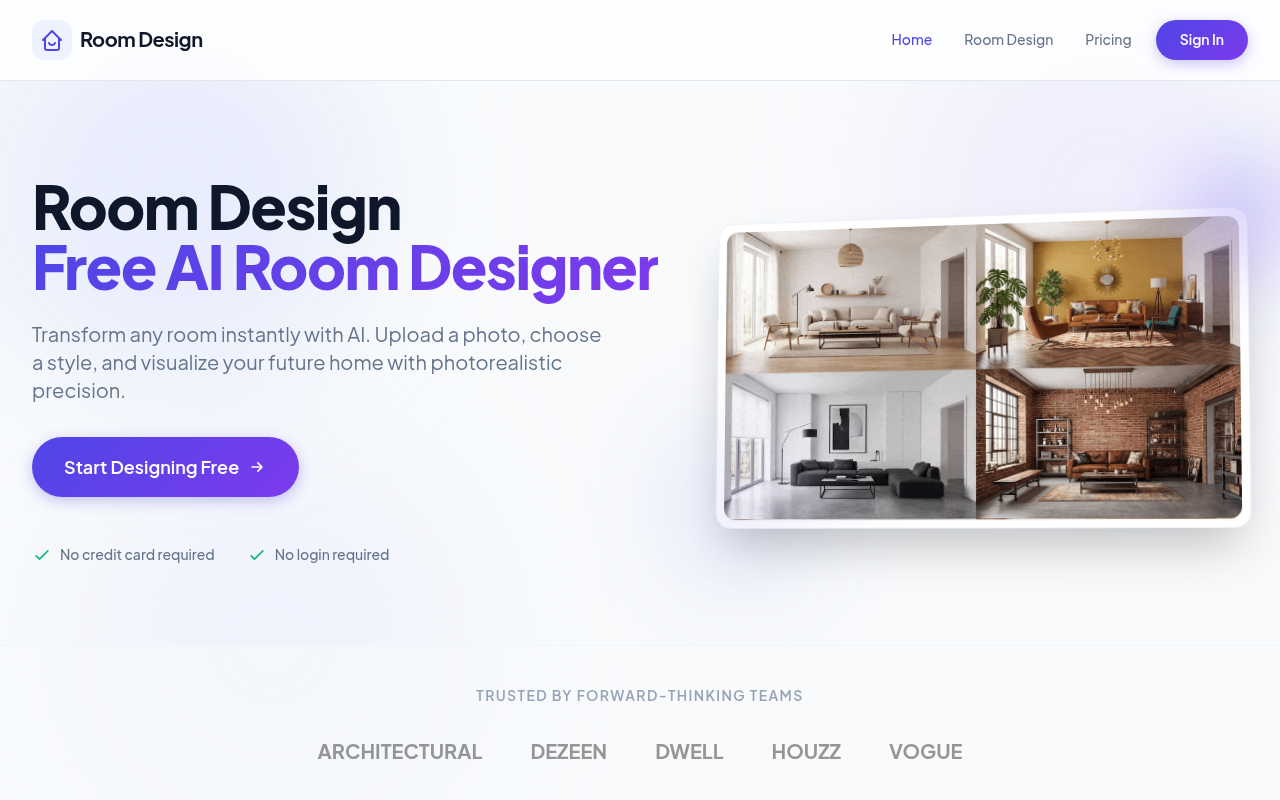
Room Design is an AI-based tool that transforms room photos into various design styles instantly. Users can upload images and receive photorealistic renderings, making it ideal for homeowners and designers. It simplifies the visualization process, allowing for easy experimentation with interior design.
Room Design is a practical tool that leverages AI to help users visualize different interior design styles in their own spaces. By simply uploading a photo, individuals can experiment with over 30 curated styles and receive high-quality renders in seconds. This makes it particularly valuable for both homeowners looking to refresh their interiors and professional designers seeking quick visual solutions for clients.
The pricing structure is straightforward, with tiered plans that cater to different usage needs. Users can generate a limited number of designs for free, which is a great option for those who wish to try the service before committing. However, the credit limits can be a drawback for more extensive design projects, requiring users to purchase a plan if they want to create more renderings.
Key Features
Room Style Options
Choose from over 30 curated design styles
Fast Rendering
Receive photorealistic results in seconds
Furniture Recommendations
Get smart furniture matching for your designs
High-Quality Exports
Download high-resolution images in 4K
Easy Edits
Swap elements without disturbing the rest of the design
No Login Needed
Start designing without needing an account
Pricing Paid
Pros & Cons
Pros
- Offers over 30 design styles for diverse aesthetics
- Photorealistic renders generated in seconds
- Cohesive furniture combinations suggested automatically
- High-resolution exports available in 4K
- No login or credit card required for initial use
Cons
- The free version limits users to 5 generations daily
- Onboarding can feel a bit rushed for new users
- More complex projects may require multiple iterations
Frequently Asked Questions
How many designs can I create for free?
You can generate up to 5 designs per day without any payment.
What happens if I exceed my monthly credits?
You can either wait for your credits to reset or upgrade to a higher plan.
Is there a mobile app available?
Currently, Room Design is only available as a web tool.
What image formats can I upload?
You can upload standard image formats like JPEG and PNG.
Can I cancel my subscription anytime?
Yes, you can cancel your subscription at any time without penalties.
28 Alternatives to Room Design

Dehome
Transform your space with AI-generated interior designs.
Kairval
Create images and videos using AI models instantly without logging...
MyInk AI Tattoo Generator
Create and preview custom tattoo designs with AI.
RoomLab
AI tool for room rendering, redesign, and virtual staging.
AI SVG Generator
Convert text into scalable vector graphics effortlessly.
GenTube
Create and remix unlimited visualsTraffic Data
Traffic Sources
Top Countries
 United States
100%
United States
100%
Engagement Metrics
User Reviews
Be the first to review Room Design
Please log in to leave a review.