

Cap
Cap is a screen recording tool for quick sharing and high-quality video production.



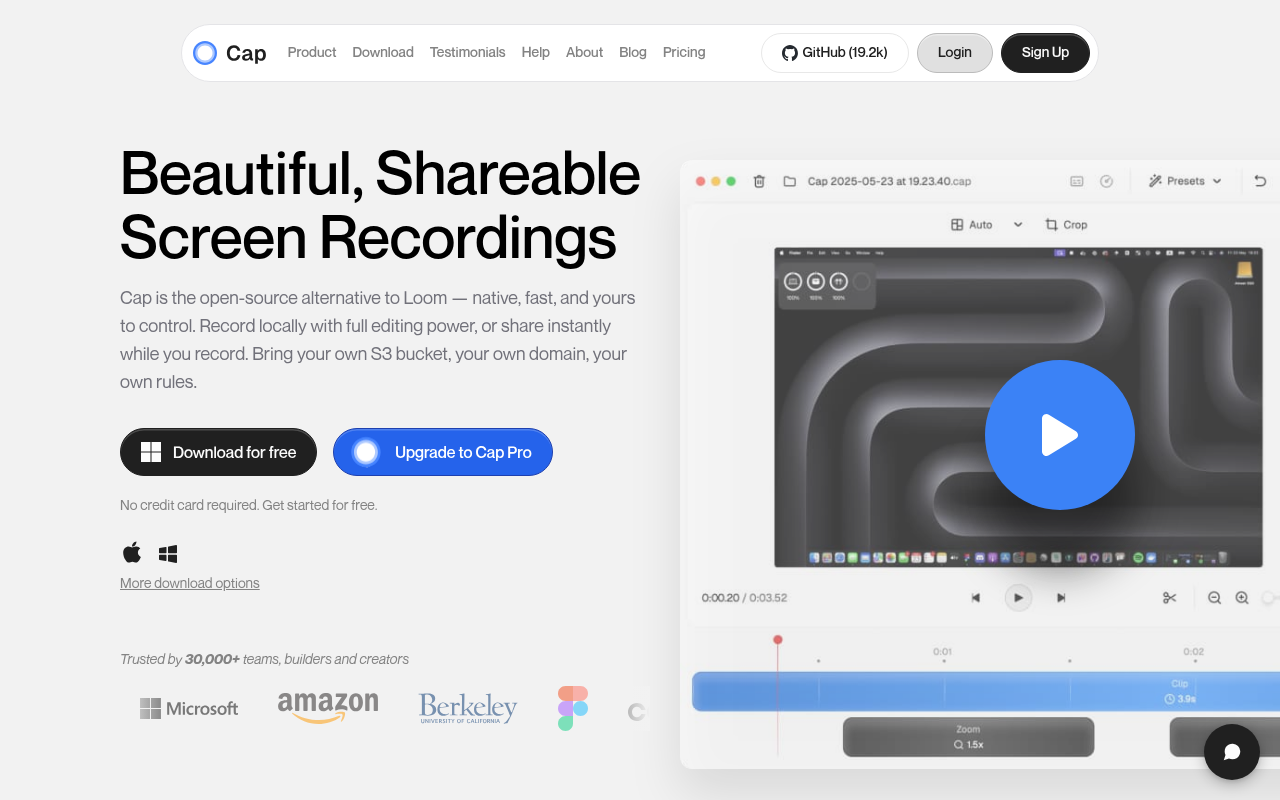
Overview
Cap is a screen recording tool that allows users to capture and share videos instantly. It offers various modes for different recording needs and automatically generates titles, summaries, and transcripts. This makes it particularly useful for teams and content creators looking to streamline their video production process.
Cap is a versatile screen recording tool that addresses the needs of various users, from educators to marketers. Its multiple recording modes allow for quick sharing or high-quality production, catering to different workflows. The automatic generation of titles and transcripts helps save time during the editing process, which is particularly beneficial for busy teams.
Pricing is competitive, with a free tier and affordable paid plans. The desktop license option offers a one-time payment for unlimited local recordings, while the Cap Pro subscription opens up advanced features like cloud storage and team collaboration. However, users seeking extensive cloud capabilities might find the free and basic plans limiting.
Key Features
Instant Sharing
Share recordings instantly with a generated link
High-Quality Recording
Record in studio mode for the best quality
Screenshot Enhancements
Quickly annotate and beautify screenshots
AI-Powered Summaries
Automatically generate video titles and summaries
No Download Needed
View shared videos directly in a browser
Custom Backgrounds
Add personalized backgrounds to your recordings
Pricing Freemium
Free
- Basic recording features
- Limited local storage
- Shareable links up to 5 minutes
Desktop License
- Unlimited local recordings
- Export to MP4 or GIF
- Commercial usage
Cap Pro
- Unlimited cloud storage
- AI-generated titles and summaries
- Team collaboration features
Pros & Cons
Pros
- Supports multiple recording modes for different needs.
- AI-generated transcripts streamline the editing process.
- Affordable pricing, especially with lifetime options.
- Clean, user-friendly interface enhances usability.
- Customizable video features for professional touch.
Cons
- Limited cloud features unless on the Pro plan.
- The onboarding process can feel a bit rushed.
- No mobile app available for on-the-go recording.
Frequently Asked Questions
What platforms does Cap support?
Cap is available on Windows and Mac, making it accessible for most users.
Is there a free version of Cap?
Yes, Cap offers a free version with basic recording features.
Can I share my recordings easily?
Absolutely, recordings can be shared instantly via a link.
What is the difference between Desktop License and Cap Pro?
The Desktop License offers local recording only, while Cap Pro includes cloud features and collaboration options.
Does Cap provide customer support?
Yes, Cap offers customer support, especially for users on the Pro plan.
108 Alternatives to Cap

ClipFinder
AI-powered tool for extracting video highlights quickly.
Comment2Content
Transform YouTube comments into content ideas effortlessly.
Maika AI
Optimize Your SEO Strategy with Maika AI
MotionGen
Create stunning animated videos from images or text prompts.
Subscribr AI
Generate YouTube scripts and video ideas quickly.
Zeemo AI
AI-powered video captions made easyCap vs Others
Traffic Data
Traffic Sources
Top Countries
 United States
15.4%
United States
15.4%
 India
10%
India
10%
 Nigeria
4.9%
Nigeria
4.9%
 China
4.5%
China
4.5%
 Germany
3.8%
Germany
3.8%
Top Keywords
Engagement Metrics
User Reviews
Be the first to review Cap
Please log in to leave a review.