

Litmaps
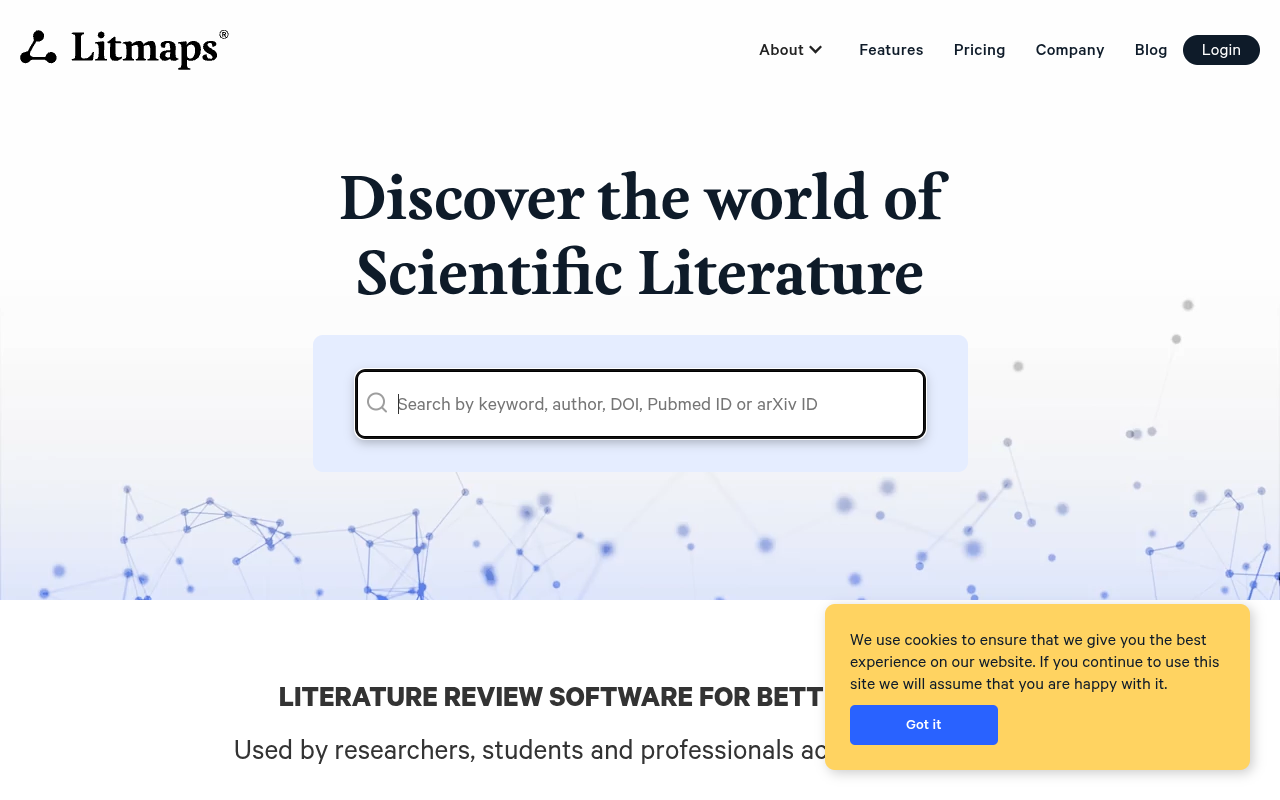
Litmapsは、学術論文をインタラクティブな引用ネットワークとして可視化し、研究者が文献を発見・整理するのを支援します。



Overview
Litmapsは、学術論文を literature into interactive citation maps. You enter a paper, and it generates a visual network showing how that paper connects to others through citations and publication dates. It helps researchers, students, and academics find relevant papers more efficiently than scrolling through database 検索結果。
Litmapsは、学術研究における実際の課題、つまりデータベースを何時間も検索することなく関連文献を見つけるという問題に取り組みます。検索結果のリストではなく、論文が引用リンクで結ばれたノードとして表示されるビジュアルマップが得られます。日付対引用グラフは、最近発表されかつ被引用数の多い論文を特定するのに特に役立ち、何を最初に読むべきかの優先順位付けを支援します。
このツールは明確な対象ユーザーを持っています:文献レビューを始める研究者、関連研究セクションを執筆する研究者、または新しい分野を探求する研究者です。これは参考文献管理ツールや完全な執筆ツールではありません。発見と可視化に焦点を当てています。無料プランではコンセプトを試すのに十分な機能が提供されますが、マップあたり50記事の制限があるため、大規模なプロジェクトには月額15ドルのProプランが必要です。
Connected PapersやResearchRabbitのような代替ツールと比較すると、Litmapsはマップの可視化により重点を置いており、ソーシャル機能は控えめです。導入は簡単ですが、ZoteroやMendeleyとの直接統合があればさらに良かったと思います。視覚的に考え、論文同士の関係を確認したい人にとって、Litmapsは試す価値があります。
Key Features
Seed Map Creation
Enter a paper title or DOI to generate a visual map of its citation network.
Discover Tool
Finds papers related to your seed paper that you might not find through standard searches.
Date vs. Cite Graph
Plots papers on a timeline by publication date and citation count for quick scanning.
Project Organization
Group papers into separate projects to keep different literature reviews organized.
BibTeX Export
Download paper references as .bib files for direct use in LaTeX documents.
Citation Network View
See how papers cite each other in an interactive graph that you can zoom and pan.
Pricing Freemium
無料
- Up to 3 seed maps
- 50 articles per map
- Basic export options
プロ
- Unlimited seed maps
- Up to 500 articles per map
- Full BibTeX export
- 優先サポート
チーム
- 全てのPro機能
- Shared projects
- チームコラボレーション
- Admin controls
Pros & Cons
Pros
- Visual map layout makes citation relationships easier to understand than a list
- Discover feature finds papers that standard database searches often miss
- Free tier is genuinely useful for small literature reviews
- BibTeX export saves time when formatting citations for papers
- Date vs. cite graph helps identify influential papers at a glance
Cons
- Free tier limits you to 3 maps and 50 articles per map
- No direct integration with Zotero or Mendeley
- Works best if you already have a good seed paper to start from
Frequently Asked Questions
Do I need to install anything to use Litmaps?
No, Litmaps runs entirely in your web browser. You just create an account on their website and start building maps. There is no software to download.
How does Litmaps find papers related to my seed paper?
Litmaps uses the citation network from academic databases to find papers that cite or are cited by your seed paper. It then maps those connections visually so you can explore the literature landscape.
Can I export my references to a citation manager?
Yes, Litmaps supports BibTeX export. You can download your paper references as a .bib file and import them into LaTeX or other reference managers. Direct integration with Zotero or Mendeley is not available yet.
Is Litmaps useful for researchers outside of STEM fields?
What is the limit on the free plan?
The free plan lets you create up to 3 seed maps, with each map limited to 50 articles. You also get basic export options. For larger projects, the Pro plan at $15 per month removes these limits.
66 Alternatives to Litmaps

学術支援AI
AI Essay Writer, Plagiarism Checker & Academic Tools
アイサー
学術的優秀さのための高度なAI執筆アシスタント
アナラ
Anaraは、研究者が整理し、...するためのAIワークスペースです。
Connected Papers
Visual exploration tool that maps related academic papers using citation...
寸法
A linked research database for finding and analyzing publications, grants,...
Elicit
An AI research assistant that searches, summarizes, and organizes academic...Traffic Data
トラフィックソース
上位国
 アメリカ合衆国
8.7%
アメリカ合衆国
8.7%
 ドイツ
8.7%
ドイツ
8.7%
 ペルー
6.8%
ペルー
6.8%
 インド
4.8%
インド
4.8%
 フィリピン
4.5%
フィリピン
4.5%
上位キーワード
エンゲージメント指標
User Reviews
Be the first to review Litmaps
Please ログイン to leave a review.