
How to Use ChatGPT for Beginners: Complete Step-by-Step Guide (2026)
ChatGPT has transformed how millions of people work, learn, and create. Whether you're a student, professional, or someone curious about artificial intelligence, understanding how to use ChatGPT effectively can save you hours of time every week and unlock new possibilities you didn't know existed.
If you've heard the buzz about ChatGPT but aren't sure where to start, you're in the right place. This guide will walk you through everything—from creating your first account to mastering prompts that deliver results that actually astound you. By the end, you'll confidently use ChatGPT for writing, brainstorming, learning, coding, and solving real-world problems.
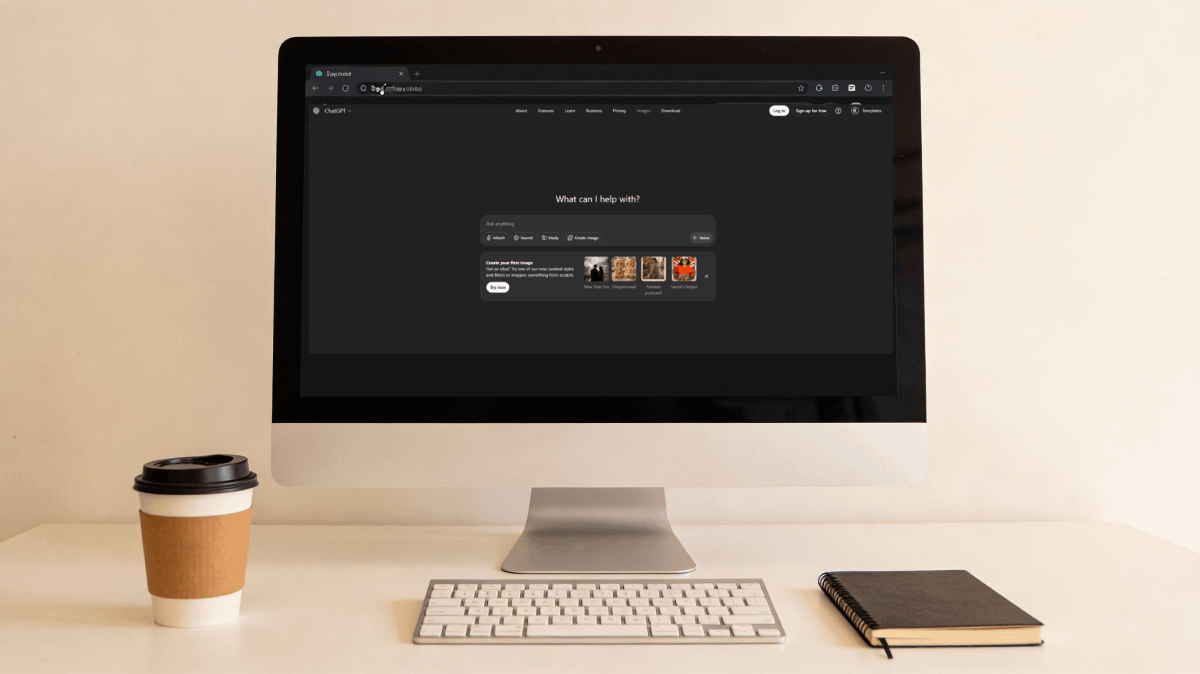
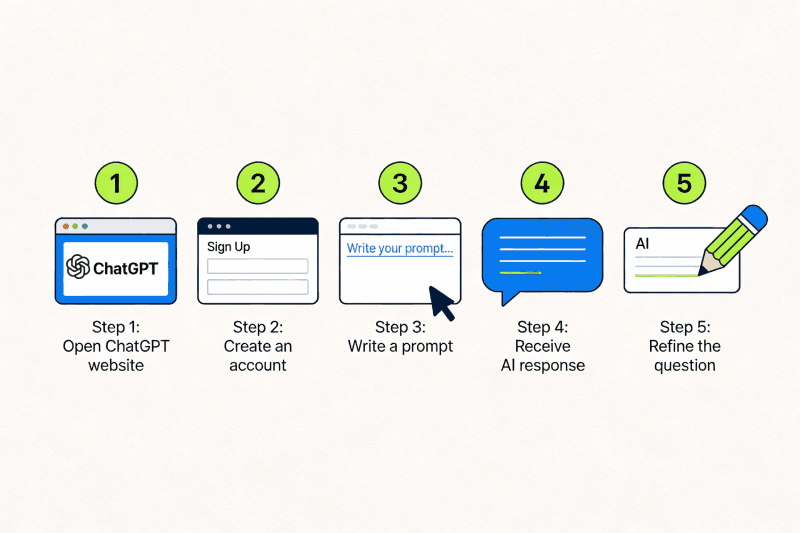
Getting Started: The 5 Simple Steps to Using ChatGPT
The easiest way to begin is through OpenAI's official website. Here's exactly what you need to do:
Access ChatGPT's Website
Open your web browser and navigate to chat.openai.com. You'll land on a clean, intuitive interface designed for beginners. The first thing you'll notice is that ChatGPT is immediately available—no complex setup required. You don't need any technical knowledge or special equipment; a computer or smartphone with an internet connection is all you need.
Create Your Free Account
Click the "Sign Up" button prominently displayed on the ChatGPT homepage. You'll be guided through a simple registration process that takes less than two minutes.
What you'll need:
- A valid email address
- A password (make it secure—at least 8 characters with a mix of letters, numbers, and symbols)
- Your name and phone number for verification
Navigate the ChatGPT Interface
After logging in, you'll see the main chat interface. Here's what you're looking at:
- The Message Box (Bottom of Screen): This is where you type your questions or instructions.
- Chat History (Left Sidebar): Every conversation you have is saved here, organized chronologically.
- Response Area (Center): When you submit a message, ChatGPT's response appears in the center of your screen.
- Model Selector (Top): You'll see different ChatGPT versions available.
Write Your First Prompt
Now comes the moment of truth. Click in the message box and type your first question. Start simple:
"Explain machine learning to me like I'm five years old."
"Write a professional email asking for a day off work."
"Give me 10 creative blog post ideas about sustainability."
Refine and Continue the Conversation
Here's where most beginners miss the magic. ChatGPT isn't a one-shot answer tool—it's a conversational partner. If the first response isn't quite what you wanted, ask follow-up questions like:
- "Can you make that more concise?"
- "Can you write it in a more formal tone?"
- "Give me three alternative versions."
- "Expand on the third point."
Understanding ChatGPT's Key Features
Before you dive deeper, let's clarify what ChatGPT can and cannot do. This prevents frustration and helps you use the tool for what it's actually designed for.
What ChatGPT Does Exceptionally Well
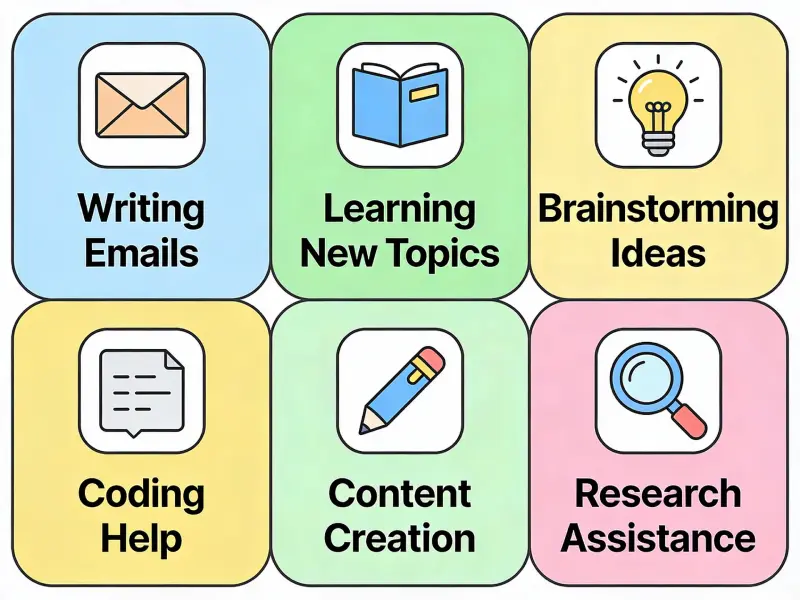
Writing and Content Creation: ChatGPT excels at generating everything from emails and social media posts to entire blog articles, product descriptions, and creative stories.
Answering Questions: Whether you need information about historical events, scientific concepts, current technologies, or practical how-to guidance, ChatGPT can provide comprehensive explanations.
Brainstorming and Ideation: Stuck on a project? ChatGPT generates dozens of concepts rapidly, which you can then filter and develop further.
Learning and Explanation: Students use ChatGPT to understand difficult subjects, review for exams, and work through practice problems.
Coding Assistance: Developers use ChatGPT to write code, debug errors, explain complex logic, and learn new programming languages.
Research Help: ChatGPT synthesizes information, summarizes lengthy content, and helps organize research quickly.
What ChatGPT Cannot Do
- Access the Internet: ChatGPT's knowledge comes from training data (current through April 2024 in GPT-4). It cannot browse the web or check current prices and stock information.
- Remember Between Sessions: Each conversation is independent. It won't remember conversations from two weeks ago unless you reference them.
- Access External Files or Links: ChatGPT cannot click links, watch videos, or access your personal documents unless you copy-paste content directly.
- Provide Legal or Medical Advice: While ChatGPT can provide general information, it cannot serve as a substitute for professional consultation.
- Guarantee 100% Accuracy: ChatGPT sometimes makes mistakes or provides outdated information. Always verify facts through reliable sources.
Real-World Use Cases That Will Change Your Daily Life
Understanding what ChatGPT can do is one thing. Seeing how it actually saves people time and improves their work is another. Here are the most practical applications that deliver immediate value:
For Students and Learners
ChatGPT becomes your personal tutor, available whenever you're confused about a concept. Struggling with algebra? ChatGPT breaks it down step-by-step. Need to understand the French Revolution? Ask for an overview, then dig into specific aspects with follow-up questions.
For Professionals and Content Creators
Writers, marketers, and communicators use ChatGPT to draft content faster. Imagine spending an hour to write an email that ChatGPT can draft in 30 seconds. Content creators use ChatGPT to generate outlines, brainstorm topics, research competitors, and even draft entire sections of articles.
For Career Changers and Skill Builders
Learning a new skill usually means expensive courses or months of self-study. ChatGPT significantly accelerates this process. Want to learn Python programming? Ask ChatGPT to teach you the fundamentals, write code examples, and explain errors.
For Business Owners and Entrepreneurs
Small business owners use ChatGPT for everything from naming products and writing marketing copy to analyzing business ideas and creating business plans. Explore more AI tools for business by visiting our AI tools directory for comprehensive resources.
ChatGPT Free vs ChatGPT Plus: Which Should You Choose?
Before you decide whether to upgrade, understand what each version offers:
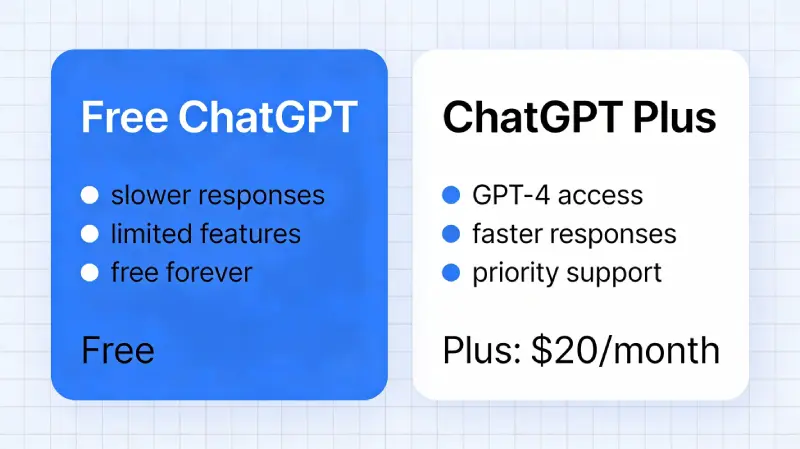
| Feature | ChatGPT Free | ChatGPT Plus ($20/month) |
|---|---|---|
| AI Model | GPT-3.5 | GPT-4 (More Capable) |
| Response Speed | Slower During Peak Times | 4x Faster Responses |
| Monthly Message Limit | Limited (Capped) | 4x Higher Limit |
| New Features | After Release Delay | Early Access |
| Cost | Free Forever | $20/month |
ChatGPT Plus makes sense if you're using ChatGPT professionally or rely on it for hours every day. For casual users or beginners exploring the tool's potential, the free version is the right starting point. Check out our ChatGPT detailed review for more information.
The Art and Science of Writing Effective Prompts
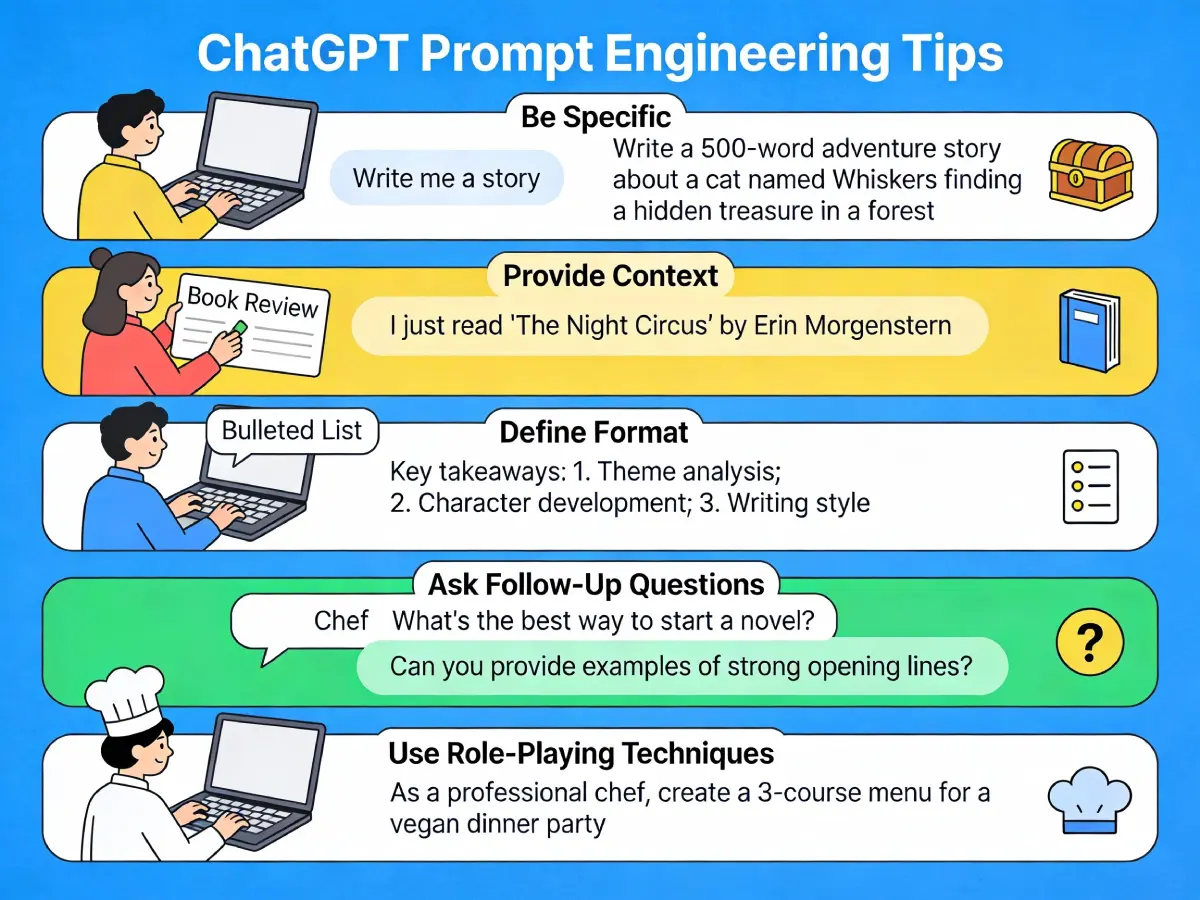
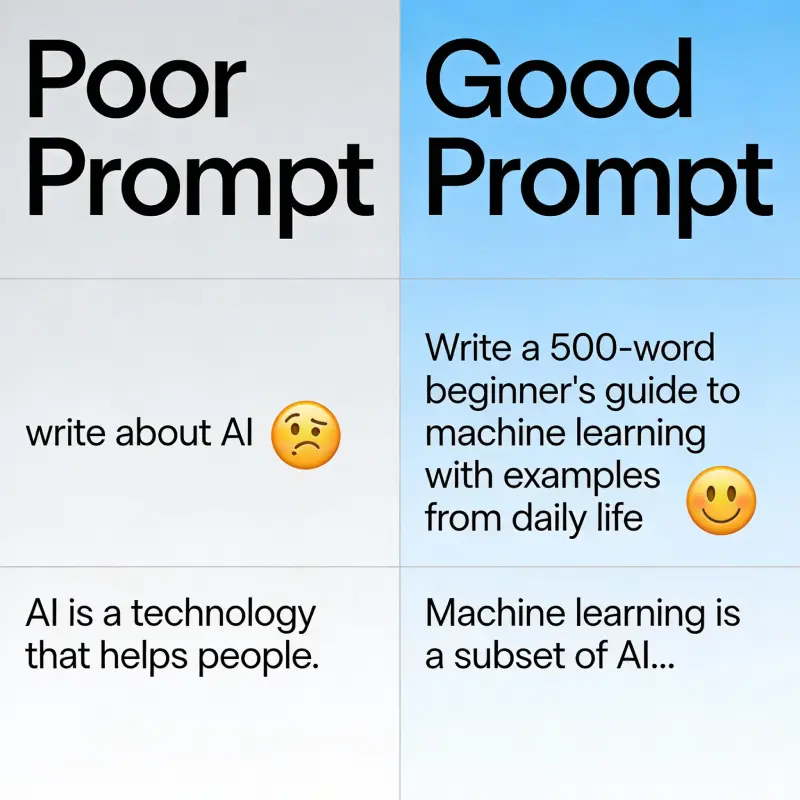
Now we arrive at the skill that separates average ChatGPT users from exceptional ones: prompt engineering. A vague prompt gets a vague answer. A detailed, well-structured prompt gets remarkable results.
Principle 1: Be Specific and Detailed
"Write a blog post about productivity."
✅ Try:"Write a 1,500-word blog post about productivity for remote workers. The tone should be conversational but professional. Include three actionable strategies with real-world examples. Target audience is people working from home for the first time."
Principle 2: Provide Context and Background
Don't assume ChatGPT knows your situation. Give it context. If you're asking ChatGPT to help you prepare for a job interview, tell it:
"I'm interviewing for a Senior Marketing Manager position at a SaaS company. The company focuses on project management software. I have 8 years of experience in digital marketing for B2B companies. Generate 10 likely interview questions they might ask and provide strong answers."
Principle 3: Specify the Format You Want
Tell ChatGPT exactly how you want the information presented. Do you want a numbered list, bullet points, a table, or multiple paragraphs? Be explicit.
Principle 4: Use Role-Playing and Perspective
ChatGPT responds well to persona-based prompts. Assign it a role like "You are an experienced career coach with 20 years of experience" or "Write this explanation as if you're teaching a 12-year-old child."
Principle 5: Ask Follow-Up Questions
The conversation doesn't end with the first response. Refine by asking:
- "Can you make that more concise?"
- "Can you give me three alternative approaches?"
- "Expand the second section with more examples."
- "Can you write this in a more humorous tone?"
Common Beginner Mistakes to Avoid
Learning from others' mistakes accelerates your own growth. Here are the missteps that most new ChatGPT users make:
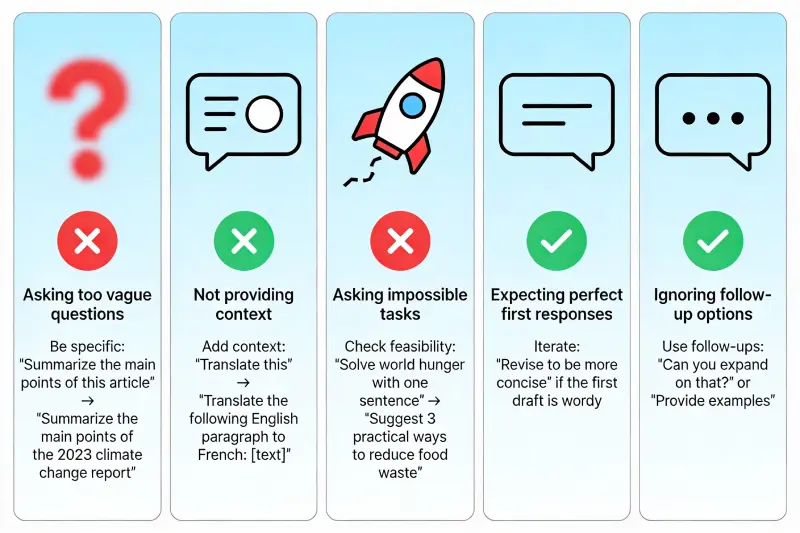
Mistake 1: Asking Vague Questions
"Tell me about AI" generates a generic overview. Instead, specify what aspect of AI you care about and what you'll do with the information. Precision matters.
Mistake 2: Expecting Perfect Responses on the First Try
ChatGPT rarely nails everything perfectly on the first attempt. The tool works best when you treat it as a collaborative partner—you provide feedback, it refines, and you iterate toward excellence.
Mistake 3: Not Providing Enough Context
If ChatGPT doesn't understand your situation, it can't give you a tailored response. Over-explain context rather than assuming ChatGPT knows your background, industry, or goals.
Mistake 4: Using ChatGPT for Time-Sensitive Information
Don't ask about yesterday's news or today's stock prices. ChatGPT's knowledge has a cutoff date and it cannot browse the internet. Consult real-time sources for current information.
Mistake 5: Treating the Output as Gospel Truth
ChatGPT sometimes confidently provides incorrect information. Always verify facts, especially for important decisions. Use it as a thinking partner, not an oracle.
Mistake 6: Not Taking Advantage of Conversation History
One of ChatGPT's superpowers is continuity within a single conversation. Ask a question, build on the response, ask follow-ups, and dig deeper. Most beginners don't leverage this enough.
Mistake 7: Ignoring the Edit and Regenerate Options
If you don't like a response, click "Regenerate Response" to get a different version. Or edit your prompt and resubmit. These tools let you refine without starting over.
Frequently Asked Questions About ChatGPT
The basic version is completely free. ChatGPT Plus is $20/month for advanced features and faster response times. For most beginners, the free version provides excellent value and functionality.
Yes, there's an official ChatGPT app for both iOS and Android. The experience is identical to the web version, giving you access to ChatGPT whenever and wherever you need it.
Yes, OpenAI allows commercial use of ChatGPT outputs under their terms of service. For ChatGPT Plus subscribers, commercial use is explicitly permitted as part of your subscription agreement.
Be aware that conversations are stored and may be used to improve OpenAI's models unless you opt out in settings. Avoid pasting sensitive personal information, medical details, or confidential business information into ChatGPT.
Yes, and quite well. ChatGPT understands most programming languages and can generate, debug, and explain code. It's an excellent tool for learning programming or accelerating development work.
They serve different purposes. Google is better for current information and finding specific sources. ChatGPT is better for synthesis, explanation, and elaboration on existing knowledge, as well as creative tasks.
OpenAI's terms of service require users to be 18 or older. Younger users would need parental permission and supervision to use the service legally.
Your Next Step: Start Experimenting Today
You now have everything you need to begin. The best way to learn ChatGPT isn't through reading more guides—it's through hands-on experimentation. Sign up for an account (it takes 2 minutes), ask your first question, and begin exploring.
Start with the examples we discussed. Try writing an email, explaining a concept you want to understand, or brainstorming ideas for a project. Notice what works and what doesn't. Refine your prompts. Experiment with different approaches.
Within a week of consistent use, you'll be significantly more proficient than 80% of people trying ChatGPT for the first time. Within a month, you'll have discovered use cases specific to your life that save you real time and energy.
The future is collaborative—humans and AI working together. That future starts with you taking the first step today. Ready to explore more AI tools? Visit our comprehensive AI tools directory to discover thousands of AI solutions across different categories.
Start your ChatGPT journey today and transform how you work, learn, and create. The AI revolution isn't coming—it's here. Make sure you're part of it.