

Vidby
Plateforme alimentée par l'IA pour traduire des vidéos et des documents, ajouter des sous-titres et générer un doublage vocal dans plus de 70 langues.



Overview
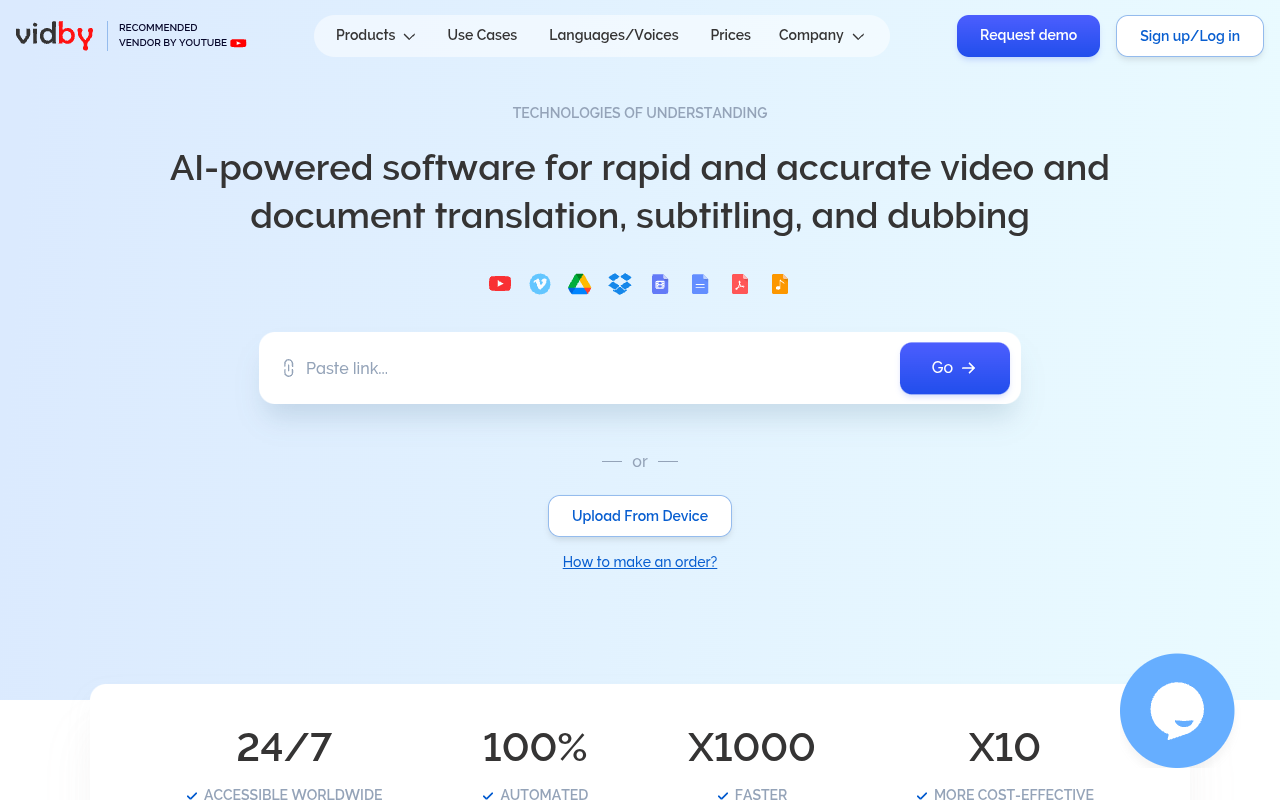
Vidby is an AI translation platform that converts video and document content into over 70 languages with automatic subtitling and voice dubbing. Users upload files or paste links from YouTube, Vimeo, Google Drive, or Dropbox, and the system processes them in minutes. It's built for content creators, educators, and businesses who need fast localization without hiring human translators.
Vidby positions itself as a fast, cost-effective alternative to traditional video translation services. The core workflow is straightforward: upload a file or paste a link, select source and target languages, and wait for the AI to process it. In testing, a 4-minute English tutorial video was translated into Spanish with subtitles in under two minutes. The voice dubbing, while functional, had a noticeable robotic cadence on longer sentences, which might be fine for internal training but less ideal for polished customer-facing content.
The platform supports over 70 languages and integrates with common storage services like Google Drive and Dropbox. Pricing is usage-based, starting at around €0.50 per minute of video, which is significantly cheaper than human translation. However, the lack of transparent pricing for higher tiers and the need to contact sales for anything beyond basic usage is a minor annoyance.
For solo creators or small teams who need to localize content quickly and don't require broadcast-quality dubbing, Vidby is a solid choice. Larger enterprises may want to evaluate the voice quality more carefully before committing to volume. The YouTube vendor badge adds some trust, but the AI dubbing market is competitive, and tools like Descript and ElevenLabs offer more natural voices in some languages.
Key Features
Multi-source Upload
Import files directly or from YouTube, Vimeo, Google Drive, and Dropbox without manual downloading.
Auto Subtitling
Generates time-coded subtitles that you can edit and export in SRT, VTT, or plain text formats.
Voice Dubbing
Replaces original audio with AI-generated speech in the target language, preserving timing.
Document Translation
Translates PDFs and Word documents while maintaining original layout and formatting.
YouTube Detector
Scans a YouTube video to identify which audio tracks and subtitles are already available.
Text-to-Speech 2
Converts translated text into spoken audio using AI voices in multiple languages.
Pricing Free Trial
Paiement à l'utilisation
- No monthly commitment
- Pay per upload
- Basic support
Démarreur
- Bulk discount on minutes
- Support par email prioritaire
- Team dashboard
Entreprise
- Gestionnaire de compte dédié
- Accès API
- Intégrations personnalisées
Entreprise
- Volume pricing
- SLA guarantees
- On-premise deployment option
Pros & Cons
Pros
- Supports over 70 languages for translation and subtitling
- Accepts uploads from YouTube, Vimeo, Google Drive, and Dropbox directly
- Processing is fast — a 5-minute video can be translated in under 3 minutes
- Offers both subtitle generation and AI voice dubbing in one workflow
- Listed as a recommended vendor by YouTube, adding credibility
Cons
- AI voice dubbing sounds robotic on longer or emotionally nuanced sentences
- No transparent pricing for higher-tier plans; requires contacting sales
- Free trial credits are limited and not clearly explained upfront
Frequently Asked Questions
What file formats does Vidby support?
How accurate is the translation?
Can I edit the subtitles after they are generated?
Yes. The platform provides a subtitle editor where you can adjust timing, fix text errors, and change formatting before exporting.
Does Vidby offer a free plan?
The site offers a free trial that gives you some credits to test the service. After that, you pay per minute of video or per page of document translated.
Is Vidby suitable for live translation?
Not really. Vidby is designed for pre-recorded content. For live meetings, they have a separate product called MeetUp For Entreprise that integrates with Zoom and Google Meet.
57 Alternatives to Vidby

Capture
Sous-titrage vidéo et montage pour créateurs de contenu
Edimakor Éditeur vidéo
Outil puissant d'édition vidéo par IA
SubGetPro
Génération de sous-titres IA hors ligne pour Adobe Premiere Pro.
Lancer VidAU
Swap faces, translate, remove subtitles/watermarks, create AI avatars, and convert...
LipDub IA
Générateur de vidéos de synchronisation labiale réalistes avec IA pour contenu multilingue.
Traduire Maman
Video Translation & Captioning in 100+ LanguagesTraffic Data
Traffic sources
Principaux pays
 États-Unis
14.2%
États-Unis
14.2%
 Inde
8.5%
Inde
8.5%
 UZ
7.2%
UZ
7.2%
 Nigeria
6.7%
Nigeria
6.7%
 Ukraine
5.4%
Ukraine
5.4%
Mots-clés principaux
Engagement metrics
User Reviews
Be the first to review Vidby
Please se connecter to leave a review.