
Spriteflow
Générez des animations de sprites cohérentes pour les jeux en utilisant l'IA, sans compétences en dessin requises.


Overview
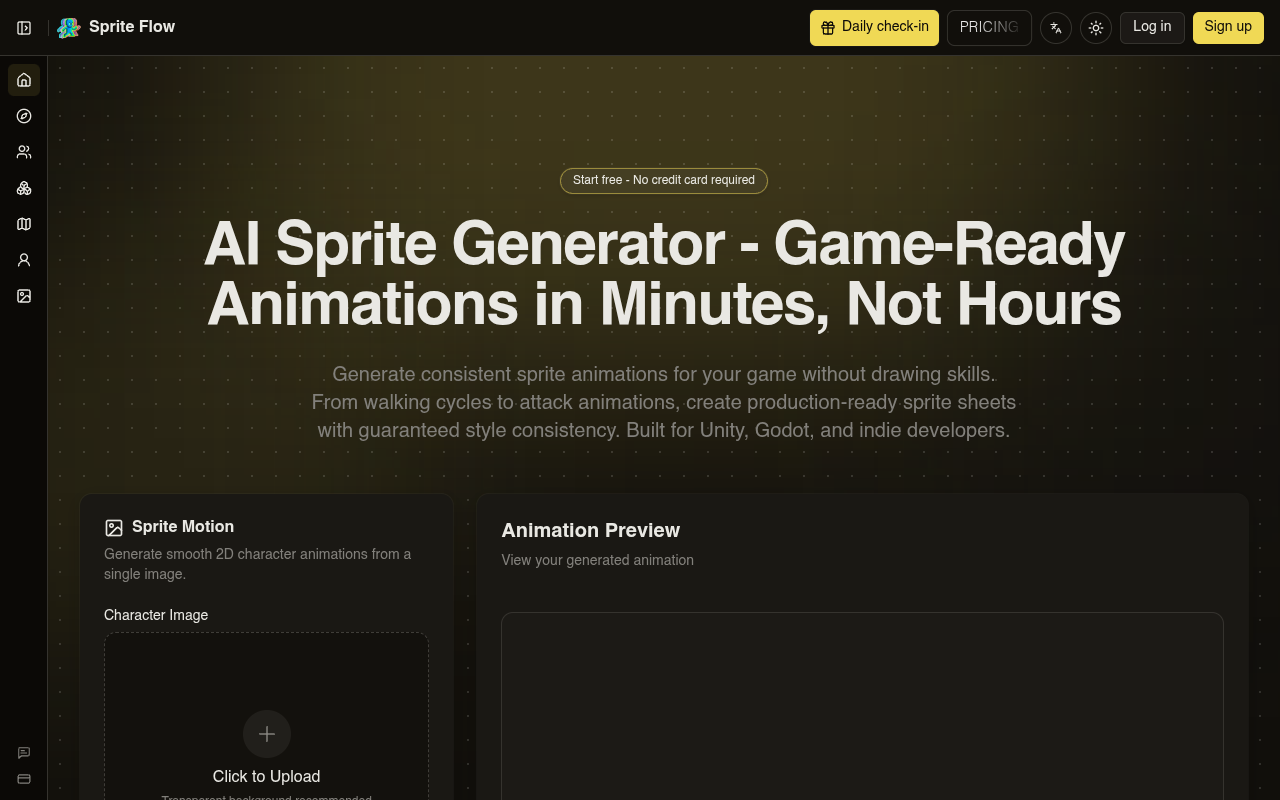
Spriteflow is an AI-powered sprite generator that creates game-ready character animations from a single image or text description. It produces consistent sprite sheets with walking cycles, attack animations, and other motion sets in minutes. The tool exports directly to Unity, Godot, and Unreal formats, making it useful for indie developers and solo creators who need custom game assets without hiring a pixel artist.
Spriteflow solves a real problem for indie game developers: getting custom sprite animations without spending 20+ hours per character or hundreds of dollars on pixel artists. The tool accepts a character image or text prompt, then generates consistent animation frames with locked color palettes and proportions. I tested it with a rough sketch of a knight character, and the AI produced a clean 8-frame walk cycle in about 45 seconds. The style consistency held up across multiple generations, which is the main selling point here.
The export workflow is where Spriteflow shines. It outputs sprite sheets with JSON metadata that plug directly into Unity's sprite renderer or Godot's AnimatedSprite. You get collision box suggestions and animation controller presets, which saves hours of setup. The 8-directional support is a nice bonus for isometric RPG projects. Pricing starts at $19.90 per month for 200 credits, with a free plan that offers 25 daily credits — enough to test the workflow before committing.
That said, the credit system can feel restrictive if you're iterating on many character variations in one session. The free plan only stores data for 30 days, so you'll want to download your exports quickly. Overall, Spriteflow is a solid option for solo developers and small teams who want custom sprites without the time or budget for traditional pixel art. It won't replace a skilled artist for complex hero characters, but it handles bulk enemy sprites and prototyping very well.
Key Features
Style Lock
Trains the AI on your art style once, then applies the same color palette and proportions to every frame.
Animation Sets
Generates idle, walk, run, jump, and attack cycles with 6-8 frames each in one workflow.
Engine Export
Exports sprite sheets with JSON metadata directly to Unity, Godot, and Unreal formats.
8-Directional Sprites
Creates top-down and isometric sprites with automatic 4 or 8-directional views for RPGs.
Character Variations
Changes outfits, hair colors, or equipment in style settings and regenerates in 3 minutes.
Background Removal 4
Automatically removes backgrounds from uploaded character images with one click.
Pricing Freemium
Gratuit
- 5 registration credits
- 25 daily credits
- Basic download access
Démarreur
- 200 credits / month
- Daily free credits
- 30-day data storage
- 24h email support
Professionnel
- 600 credits / month
- Daily free credits
- Permanent data storage
- 24h email support
Pros & Cons
Pros
- Generates a walking cycle in 3 minutes versus 4 hours manually
- Style consistency locks color palettes and proportions across all frames
- One-click export to Unity, Godot, and Unreal with sprite sheet atlas and JSON metadata
- 8-directional sprite generation works automatically for isometric games
- Free plan offers 25 daily credits, enough to test full workflows before paying
Cons
- Free plan limits storage to 30 days on the Starter tier and permanent only on Professional
- Credit system can feel limiting if you need to generate many variations in a single session
- No offline mode — requires internet connection to use the AI generation
Frequently Asked Questions
What file formats does Spriteflow support for export?
You can download animations as APNG, GIF, or a ZIP folder containing individual frames. The export also includes JSON metadata and sprite sheet atlas files for Unity, Godot, and Unreal.
How does the style consistency feature work?
Can I use Spriteflow for commercial game projects?
Yes, assets generated with Spriteflow can be used in commercial games. The terms allow you to sell or distribute games containing sprites created with the tool.
What animation types are available?
You can generate idle, walk, run, jump, and attack animations. Each animation typically produces 6-8 frames, and you can adjust the frame count and speed before generating.
Do I need drawing skills to use Spriteflow?
No. You can upload a character image or describe your character with a text prompt. The AI handles the animation generation, so no manual pixel work is needed.
42 Alternatives to Spriteflow

Photoleap
Application de retouche photo mobile alimentée par l'IA
Fusion Art AI
Art envoûtant. Possibilités infinies.
Art AI Hentai
Générateur Hentai IA avec fonctionnalités personnalisables
Illostration AI
Illustrations générées par IA sans effort, dans une variété de styles
Aucun résultat correspondant à votre recherche.
Créez des histoires avec les mêmes personnages et scènes pour un...
Lucid Pic
Studio photo IA pour des médias visuels époustouflantsTraffic Data
Traffic sources
Principaux pays
 États-Unis
40.6%
États-Unis
40.6%
 Brésil
33.2%
Brésil
33.2%
 Espagne
13.8%
Espagne
13.8%
 Inde
4.2%
Inde
4.2%
 Allemagne
3.4%
Allemagne
3.4%
Mots-clés principaux
Engagement metrics
User Reviews
Be the first to review Spriteflow
Please se connecter to leave a review.