
Luma Labs’ Dream Machine: Testing the AI Video Generator

Luma Labs is an AI startup that has recently introduced Machine à rêves, their AI video generator capable of creating high-quality, realistic videos from text prompts and images and it is ok.
This tool, Luma Labs’ Dream Machine, has generated significant excitement in the AI community, drawing comparisons to competitors like Runway, Sora, and Kling.
Il est construit sur une architecture évolutive, efficace et multimodale transformer architecture, directly trained on videos. This allows it to generate physically accurate, consistent, and even action-packed scenes, understanding how people, animals, and objects interact with the physical world.
Voici une clip de l'introduction de Luma labs Dream Machine:
À quel point est-il facile d'utiliser Dream Machine ?
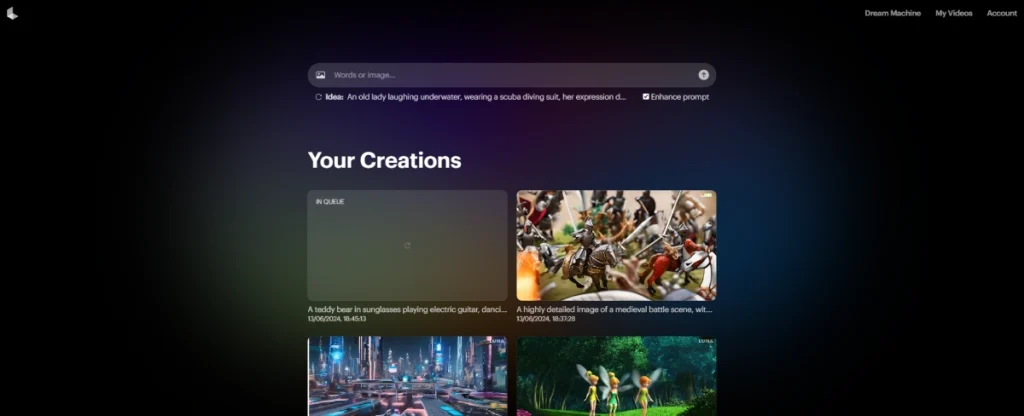
It’s very easy. You sign up, and then you go to the creation page. On this page, you can upload pictures or just type in words to generate whatever you want.
Ils proposent un freemium modèle capable de générer 30 vidéos par mois gratuitement, and you can upgrade for more. The price of the upgrade starts at 29,99 $ par mois for 120 générations par mois.
Récifs coralliens sous-marins sereins
Pour l'essayer, j'ai demandé à ChatGPT de me donner un text-to-video prompt to use and test this new dream machine. ChatGPT gave me this prompt: “Un monde sous-marin serein avec des récifs coralliens colorés et une vie marine diversifiée.“
The coral reef underwater video was okay in my opinion, and I think it would be great if it were enhanced using other tools pour améliorer sa qualité.
Scène de bataille médiévale
For the final one, I wanted something medieval and battle-themed, so I gave this prompt to the dream machine: “Une scène de bataille médiévale avec des chevaliers, des dragons et des sorts magiques” Here is the result.
The result, in my opinion, was epic, and I really liked it, but the quality wasn’t that great. It would be great if the quality and length of the video were improved.
Ce que j'ai aimé et ce qui peut être amélioré
Ce que j'ai aimé :
- Les prompts texte-à-video fonctionnent raisonnablement bien.
- Processus d'inscription facile.
- Très généreux 30 générations de vidéos gratuites par mois.
- Possibilité de passer à une formule supérieure pour plus de générations.
- Génère des scènes pleines d'action et réalistes.
- Comprend les interactions entre objets, personnes et animaux.
Inconvénients :
- La qualité de la vidéo pourrait être améliorée.
- Les vidéos sont limitées à 5 secondes de longueur.
- La qualité peut ne pas être adaptée à des cas d'utilisation professionnels.
Cela dit, peut-être Lumalabs will have options to generate longer and higher quality videos in the near future.
Alternatives à Dream Machine
- PixVerse: This tool offers text-to-video and image-to-video conversion, along with a community feed.
- Sora: Développé par OpenAI, it excels in creating lifelike imagery and realistic motion from text prompts using advanced AI and machine learning, but it is still not available to the public yet.
- Kling IA: This tool generates high-quality videos up to 2 minutes long, with realistic 3D reconstructions, expressions, and movements. To use this tool, you have to apply to be a beta tester on their website.
Conclusion
Luma Labs’ Dream Machine is an impressive AI video generator that opened its doors to the public with their text prompts and images to la génération de vidéos platform. It has a user-friendly and simple interface, and its generous free tier makes it accessible to all audiences to test it out. On the other hand, we are still waiting for Sora to be made public.
The ability to generate action-packed scenes with realistic interactions between objects, people, and animals is a standout feature of Dream Machine. However, the current video quality and length limitations may not make it suitable for professional use cases yet, but it is still good for testing l'essayer.

