

folk
Un CRM simple que reúne contactos, correos electrónicos y datos de LinkedIn en un solo lugar con IA para automatizar seguimientos.



Overview
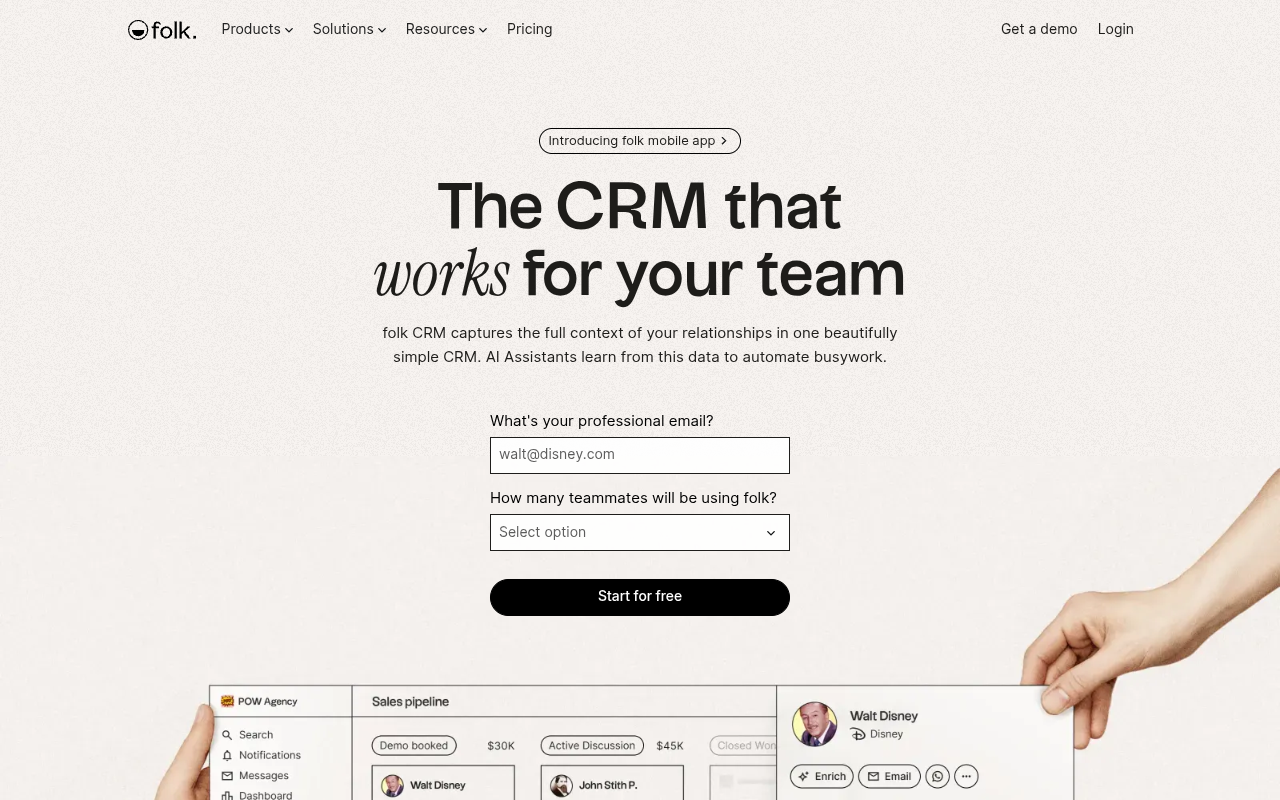
folk is a CRM platform designed for small to mid-sized teams. It centralizes contacts, emails, and LinkedIn data into a single timeline and uses AI assistants to automate follow-up messages and enrichment. The tool is best for sales teams, agencies, and startups that want a visual pipeline without the complexity of enterprise CRMs.
folk positions itself as a CRM that actually works for your team, not against it. After spending a few days with the tool, that claim holds up. The interface is refreshingly simple compared to clunky alternatives like Salesforce or even HubSpot's free tier. You get a unified timeline for each contact that pulls in emails, LinkedIn messages, and WhatsApp chats. The AI Sales Assistant scans those conversations to suggest when to follow up and drafts context-aware replies. It's not magic, but it saves a few minutes per contact.
The tool is aimed at small teams, agencies, and startups. Pricing starts at $19 per user per month for the Pro plan, which unlocks unlimited pipelines and email sequences. The free tier supports up to two users, which is generous. Enrichment credits are metered, so heavy users will want to budget for the Business plan at $39 per user per month. The mobile app exists but feels like a companion, not a full replacement.
folk's key differentiator is how it pulls data from LinkedIn, Gmail, Outlook, and WhatsApp automatically. That alone cuts down the manual entry that plagues most CRMs. The trade-off is that you're somewhat locked into folk's ecosystem for enrichment and AI features. If you need deep customization or enterprise-grade permissions, you'll outgrow it. But for a small team that just wants a clean, shared address book with smart follow-up reminders, folk is a strong pick.
Key Features
Unified Timeline
Combines emails, LinkedIn messages, and WhatsApp chats into a single scrollable history per contact.
AI Follow-Up Assistant
Scans your conversations to recommend optimal follow-up times and drafts replies based on context.
Pipeline Boards
Drag-and-drop deal stages with custom columns for visual sales cycle management.
1-Click Enrichment
Fills missing phone numbers and emails by querying multiple data sources in the background.
folkX Extension
Chrome extension that saves LinkedIn profiles to folk with one click, including contact details.
Email Sequences
Create and schedule bulk email campaigns with automated follow-up sequences and reply tracking.
Pricing Freemium
Gratis
- Up to 2 users
- 1 pipeline
- Integraciones limitadas
- Basic contact fields
Profesional
- Unlimited pipelines
- Email sequences
- AI Sales Assistants
- 5,000 contactos
- Integraciones
Negocios
- Todo en Pro
- Custom fields
- Advanced permissions
- Soporte prioritario
- 10,000 contactos
Empresarial
- Integraciones personalizadas
- Gerente de cuenta dedicado
- SSO
- Contactos ilimitados
Pros & Cons
Pros
- Clean, modern UI that avoids the clutter of traditional CRMs
- AI assistant uses real conversation context, not generic templates
- Multi-channel capture from email, LinkedIn, and WhatsApp in one timeline
- Free tier supports up to 2 users with no time limit
- 1-click enrichment pulls data from multiple sources quickly
Cons
- Mobile app lacks full pipeline and deal management features
- Enrichment credits are limited on lower-tier plans
- No built-in phone system or VoIP calling integration
Frequently Asked Questions
Does folk work with Outlook or just Gmail?
folk has dedicated CRM integrations for both Gmail and Outlook. You can sync emails and contacts from either platform into folk's unified timeline.
Can I import my existing contacts from another CRM?
Yes, folk supports CSV import and offers direct integrations with popular tools like HubSpot and Pipedrive to migrate your data.
How does the AI Sales Assistant work?
Is there a mobile app for folk?
Yes, folk has a mobile app called 'folk CRM' on iOS and Android. It lets you capture contacts and view deals on the go, though pipeline editing is limited.
What is the folkX browser extension?
folkX is a Chrome extension that adds a button to LinkedIn profiles. One click saves the profile and all visible contact info directly into your folk CRM.
21 Alternatives to folk
Bardeen
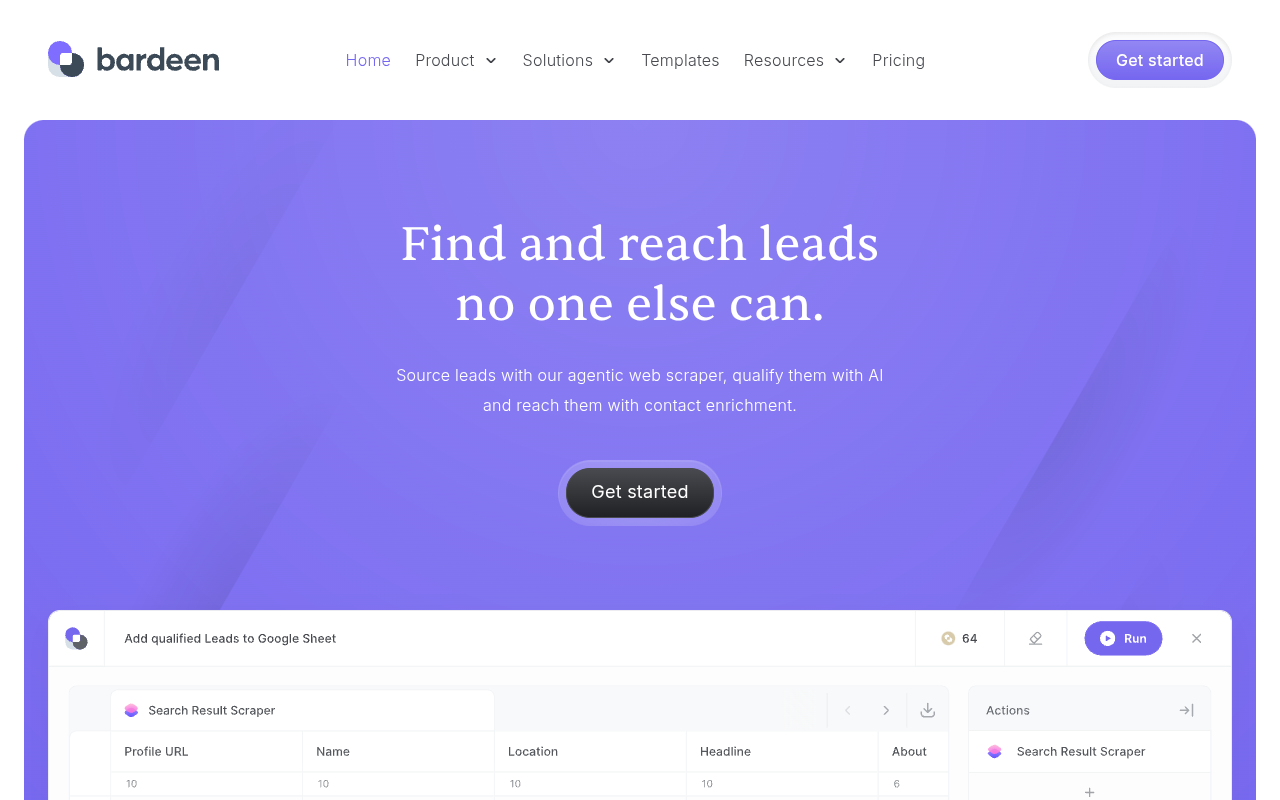
Bardeen automates lead research and outreach by enriching public data...
Gojiberry AI
Encuentra clientes potenciales de alta intención y automatiza el contacto con Gojiberry AI.
Konvertly
¡Automatiza tu generación de prospectos y despierta con reuniones agendadas!
BuscadorAfiliados
Optimiza el reclutamiento y gestión de afiliados en una sola plataforma.
AutoReach
Agente de IA autónomo para generación de leads asequible.
IA de ráfaga
Automatiza el crecimiento con trabajadores de IA para SEO, generación de leads y...Traffic Data
Sources de tráfico
Países principales
 Estados Unidos
12.1%
Estados Unidos
12.1%
 Reino Unido
9.8%
Reino Unido
9.8%
 Australia
7.8%
Australia
7.8%
 Francia
5.9%
Francia
5.9%
 Países Bajos
3.7%
Países Bajos
3.7%
Palabras clave principales
Engagement Metrics
User Reviews
Be the first to review folk
Please iniciar sesión to leave a review.