
Use This Free AI Blog Outline Generator to Create SEO-Optimized Content Structures in Seconds
Creating a well-structured blog outline is one of the most important steps in content creation—yet it's often the most time-consuming. A solid outline gives you direction, prevents writer's block, and ensures your content is optimized for both readers and search engines. That's exactly why I built this free AI-powered blog outline generator.
This tool leverages advanced artificial intelligence to analyze your topic and generate comprehensive blog post outlines based on proven content structures. Whether you're writing a how-to guide, listicle, product review, or thought leadership piece, you'll get a detailed roadmap that includes compelling titles, introduction hooks, main sections with subsections, key points to cover, and conclusion summaries.
The best part? You can customize the output with 15 different writing styles and multiple languages, making it perfect for any niche or audience. Let me show you exactly how to use this tool to create blog outlines that rank well in Google and resonate with your readers.
What is an AI Blog Outline Generator?
An AI blog outline generator is a software tool powered by artificial intelligence that automatically creates structured content blueprints for blog posts. Instead of spending 30-60 minutes manually researching and planning your post structure, you simply enter your topic and the AI does the heavy lifting in seconds.
The tool analyzes millions of high-performing articles across the web to understand what makes content successful. It then generates an outline that includes:
- Compelling blog post title - Optimized for click-through rates and SEO
- Introduction structure - Hook, context, and what readers will learn
- Main content sections - Organized H2 and H3 headings with logical flow
- Subsections and key points - Specific topics to cover under each heading
- Conclusion framework - Summary and call-to-action guidance
Think of it as having an experienced content strategist working for you—someone who's analyzed thousands of top-ranking articles and knows exactly what structure works best for each type of content. The difference is, this "strategist" works instantly and is completely free.
How to Use the Blog Outline Generator (Step-by-Step Guide)
Getting started with this tool is simple. Here's your complete walkthrough:
Step 1: Enter Your Blog Post Topic
The first step is to enter your blog post topic or working title in the input field. The more specific you are, the better your outline will be. Instead of entering something generic like "social media," try "How to Create a Social Media Content Calendar for Small Businesses."
Pro tips for choosing your topic:
- Include your target keyword naturally in the topic
- Be as specific as possible about what angle you're covering
- If you're creating a numbered list post, include the number (e.g., "10 Ways to...")
- Think about search intent—what is your reader trying to accomplish?
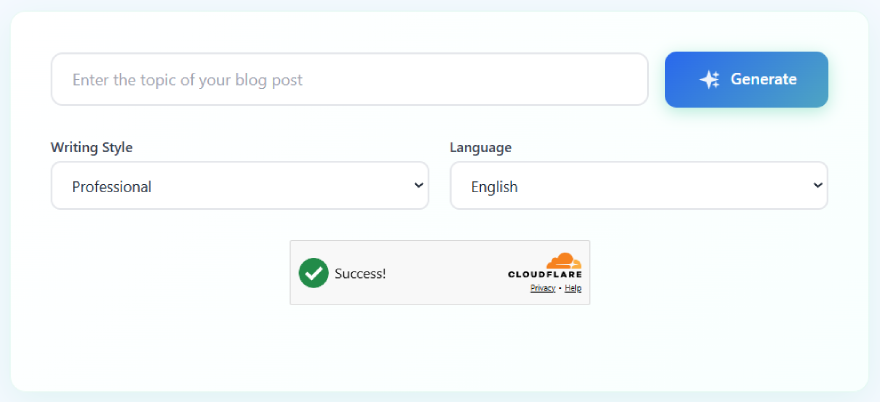
The blog outline generator interface - simple, clean, and ready to use
Don't have a topic yet? No problem. Use a free keyword research tool to find high-traffic, low-competition keywords in your niche. Look for keywords with 1,000-10,000 monthly searches that align with your expertise and audience needs.
Step 2: Select Your Writing Style
Next, choose the writing style that best matches your brand voice and audience expectations. The tool offers 15 different styles to choose from:
How to choose the right writing style:
- Professional - Best for B2B content, business blogs, and industry publications
- Conversational - Perfect for lifestyle blogs, personal brands, and relatable content
- Educational - Ideal for tutorials, how-to guides, and teaching-focused content
- Technical - Great for developer blogs, SaaS documentation, and specialized topics
- Persuasive - Use for sales pages, product reviews, and conversion-focused content
Step 3: Choose Your Language
The blog outline generator supports 15+ languages including English, Spanish, French, German, Italian, Portuguese, Dutch, Russian, Chinese, Japanese, Korean, Arabic, Hindi, Turkish, and Polish. This makes it easy to create content for international audiences or multilingual websites.
Simply select your preferred language from the dropdown menu. The AI will generate your entire outline in that language, including headings, subheadings, and key points—all grammatically correct and culturally appropriate.
Step 4: Complete the Verification
Before generating your outline, you'll need to complete a quick Cloudflare Turnstile verification. This takes just one click and helps protect the tool from spam and abuse while keeping it free for legitimate users like you.
The verification is much faster and more user-friendly than traditional CAPTCHAs—no need to identify traffic lights or storefronts. Just click the checkbox and you're ready to go.
Step 5: Generate Your Outline
Click the green "Generate" button and watch as the AI creates your comprehensive blog outline in just a few seconds. You'll see the outline appear on your screen in real-time, complete with:
- A compelling, SEO-optimized blog post title
- An introduction framework with hook and context
- Multiple main sections with descriptive H2 headings
- Subsections under each main point (H3 headings)
- Key points and topics to cover in each section
- A conclusion structure with takeaways
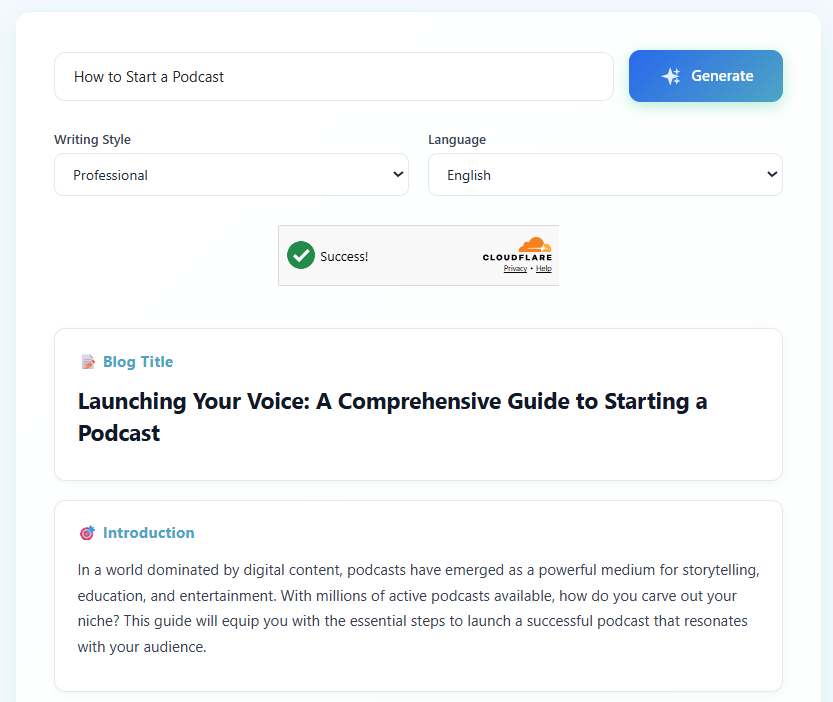
Example of a generated blog outline - comprehensive, structured, and ready to write from
Step 6: Review and Customize Your Outline
Once your outline is generated, take a few minutes to review and customize it. The AI does an excellent job creating a solid foundation, but you can make it even better by:
- Adding personal anecdotes - Where can you include your own experiences or case studies?
- Incorporating specific examples - What real-world examples will resonate with your audience?
- Reordering sections - Does the flow make sense for your specific angle?
- Adding or removing points - Are there critical topics missing or unnecessary sections?
- Optimizing for keywords - Can you naturally work in secondary keywords into headings?
Copy your outline into your preferred writing tool (Google Docs, Notion, WordPress, etc.) and you're ready to start writing. The hard part—figuring out what to say and how to structure it—is already done.
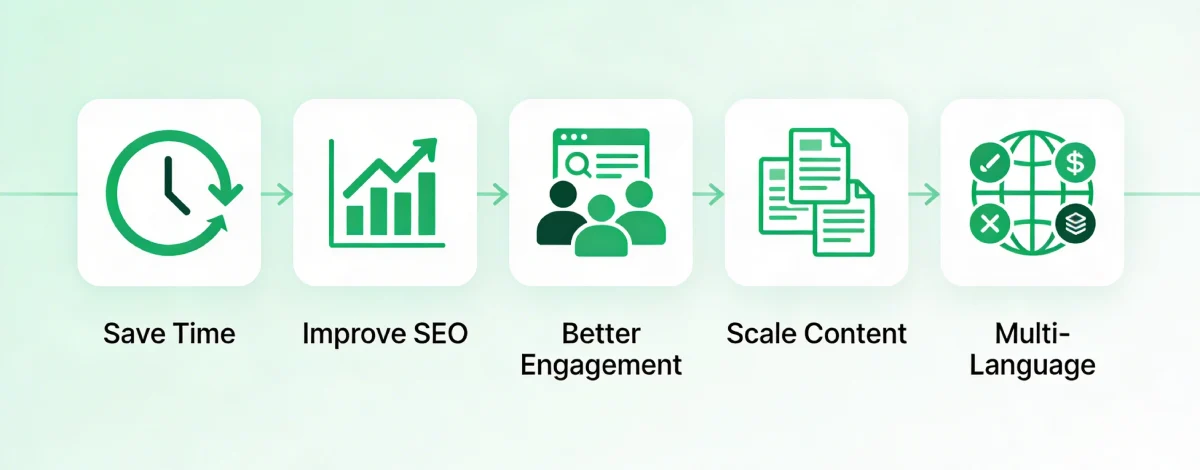
The 5 key benefits of using an AI blog outline generator
Why Use an AI Blog Outline Generator? (5 Key Benefits)
1. Save Time and Beat Writer's Block
The average blogger spends 30-60 minutes just planning their post structure. With this tool, you get a comprehensive outline in under 10 seconds. That's a 95%+ time savings on the planning phase. Plus, you'll never stare at a blank screen wondering where to start—your roadmap is ready to go.
2. Improve Your SEO Performance
The AI analyzes top-ranking content to understand what structure works best for search engines. Your outlines will include proper heading hierarchy (H2s and H3s), logical content flow, and comprehensive topic coverage—all factors that Google rewards. Better structure = better rankings.
3. Create More Engaging Content
A well-structured outline leads to better reader engagement. When your content flows logically from one point to the next, readers stay on your page longer, consume more content, and are more likely to take action. The AI ensures your outline has a natural progression that keeps readers hooked.
4. Scale Your Content Production
Whether you're publishing once a week or once a day, this tool helps you maintain consistency. Generate multiple outlines in minutes, batch your content planning, and never run out of ideas. It's especially valuable if you're managing a content team—give writers solid outlines so they know exactly what to create.
5. Adapt to Any Writing Style or Language
With 15 writing styles and 15+ languages, you can create outlines for any audience or market. Running a multilingual blog? Generate outlines in Spanish, French, and German. Writing for different audience segments? Toggle between professional and conversational styles. One tool, unlimited possibilities.
Pro Tips: How to Optimize Your Blog Outline for SEO
The AI gives you a great starting point, but here are some advanced tips to take your outlines to the next level:
✓ Include Your Primary Keyword in H2 Headings
Google pays close attention to your H2 headings. Try to naturally incorporate your primary keyword (or variations of it) into at least 1-2 of your main section headings. For example, if your keyword is "content marketing strategy," an H2 like "How to Build a Content Marketing Strategy in 5 Steps" works perfectly.
✓ Answer Common Questions in Your Outline
Add a FAQ section to your outline or work common questions into your H2/H3 headings. Use tools like "People Also Ask" boxes in Google to find questions people are actually searching for. When you answer these directly, you increase your chances of appearing in featured snippets and voice search results.
✓ Front-Load Your Most Important Content
Place your most valuable information in the first few sections of your outline. Many readers (and Google's algorithm) pay more attention to content that appears earlier in your post. Save the supplementary information and FAQs for later sections.
✓ Plan for Visual Content
As you review your outline, mark sections where images, screenshots, infographics, or videos would be helpful. Visual content not only makes your posts more engaging but also increases time on page—a positive SEO signal.
✓ Add Internal Linking Opportunities
Identify places in your outline where you can link to other relevant posts on your blog. Internal linking helps Google understand your site structure, distributes page authority, and keeps readers engaged with your content longer.
Frequently Asked Questions
How does an AI blog outline generator improve my content quality? +
AI outline generators analyze thousands of high-performing articles to create proven content structures with proper H2/H3 hierarchy, logical flow, and comprehensive topic coverage that keeps readers engaged and satisfies search intent.
What makes a good blog outline for SEO? +
A good SEO blog outline includes your primary keyword in the title and H2 headings, has clear heading hierarchy, covers all related subtopics comprehensively, answers common user questions, and structures content to match search intent patterns.
Can AI-generated outlines help me rank on Google? +
Yes, AI outlines improve SEO by ensuring proper content structure, comprehensive topic coverage, and optimized heading hierarchy—all ranking factors Google considers. The outline gives you a strong foundation that, when filled with quality content, increases your chances of ranking.
Should I edit the AI-generated outline before writing? +
Yes, always customize the outline by adding personal examples, reordering sections to match your unique angle, incorporating secondary keywords, and removing irrelevant points. The AI provides the structure—your expertise makes it exceptional.
How long should my blog post be based on the outline? +
Aim for 1,500-2,500 words for most topics. Analyze top-ranking competitors for your keyword to determine ideal length. The outline's sections guide your word count—write 200-400 words per main section depending on complexity and search intent.
Ready to Create Your Blog Outline?
Start generating professional, SEO-optimized blog outlines in seconds—completely free.
Generate Your Outline Now ↑