
Best AI Tools for Academic Research & Writing: The Complete 2026 Guide
Academic research and writing demand meticulous attention to detail, extensive literature review, proper citation management, and polished prose—all time-consuming tasks that consume countless hours. Today's researchers face a dual challenge: discovering relevant papers among millions of publications while maintaining academic rigor and originality in their writing.
AI has emerged as a transformative force for scholars. Modern AI tools streamline literature discovery, automate data extraction, enhance writing quality, detect plagiarism, and ensure proper citations. Rather than viewing AI as replacing academic integrity, forward-thinking institutions recognize these tools as force multipliers—enabling researchers to focus on critical thinking and original analysis rather than administrative overhead.
This comprehensive guide bridges the research-writing divide, identifying the best AI tools for both literature discovery and paper composition. Whether you're conducting groundbreaking research or refining your thesis, you'll find proven solutions tailored to your academic workflow.

Understanding the Research-Writing Ecosystem
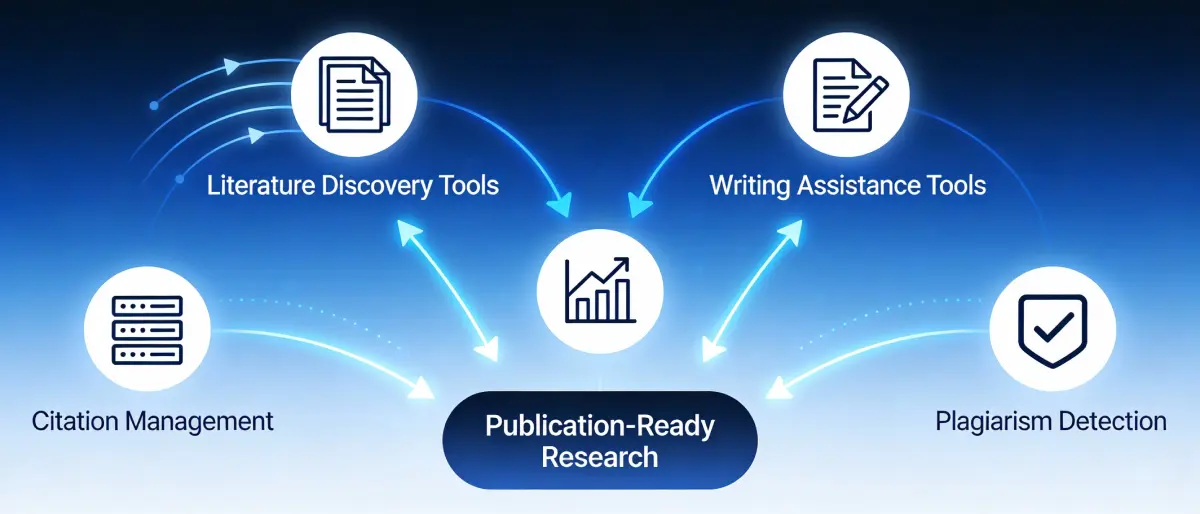
Academic work traditionally splits into two distinct phases: research (discovering and analyzing existing literature) and writing (composing original analysis and conclusions). Each phase demands different tools and capabilities. Advanced researchers now recognize the power of integrated workflows where discovery and composition inform each other continuously.
Research Tools Accelerate Discovery
Search millions of papers, identify relevant sources, extract key findings, and visualize relationships between studies—all in minutes instead of weeks.
Writing Tools Enhance Quality
Real-time grammar improvement, academic tone refinement, citation integration, and plagiarism detection ensure publication-ready manuscripts.
Integration Creates Synergy
When research and writing tools communicate, insights discovered flow naturally into composition, creating coherent, well-supported arguments.
Phase One: Discovering and Analyzing Research Literature
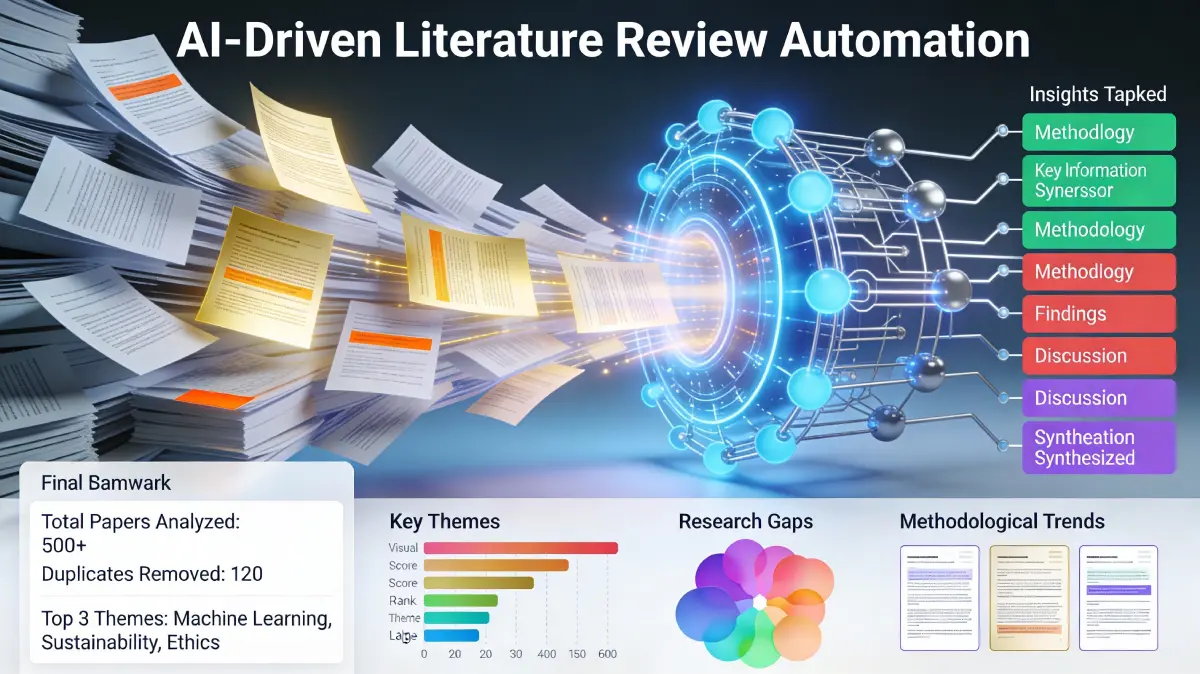
Literature discovery traditionally requires manual database searching, often yielding hundreds of potentially relevant papers. Modern AI tools automate this process, helping researchers identify papers, extract key findings, and organize knowledge efficiently.
Top Research Discovery Tools
1. Semantic Scholar
Best for Free Comprehensive SearchDatabase Size: 227+ million academic papers | Pricing: Completely free | Best For: All researchers, budget-conscious students
Created by AI2 (Allen Institute for AI), Semantic Scholar indexes the world's largest academic paper repository. The platform uses machine learning to understand paper content, enabling intelligent search beyond simple keyword matching. Find papers organized by topic relevance, review related work automatically, and access paper PDFs directly.
Key Features: Semantic search (understanding meaning, not just keywords), citation mapping showing how papers relate, Scholar QA for answering specific research questions, open-access paper identification, researcher profiles and publication tracking | Unique Advantage: Completely free with no premium tier friction | Research Capability: Ideal for initial literature scoping and discovery
2. Elicit
Best for Literature Review AutomationDatabase Size: 125+ million papers | Pricing: Free (20 PDFs/month) to $10/month paid | Best For: Systematic reviewers, data-heavy research
Elicit specializes in automating literature reviews. Upload research questions and the platform searches relevant papers, extracts data automatically, and synthesizes findings. The AI understands research methodology, helping identify papers matching your specific criteria without manual abstract reading.
Key Features: Automatic literature review summaries, data extraction from papers (tables, figures, key findings), methodology filtering (study design matching), comparison of papers side-by-side, research canvas for organizing findings | Unique Advantage: Extracts structured data automatically—saves hours of manual data collection | Research Capability: Transforms literature review from days to hours
3. NotebookLM (by Google Labs)
Best for Audio Summaries & LearningDatabase Size: Works with your uploaded documents | Pricing: Free tier (100 notebooks, 50 queries/day) | Best For: Students, auditory learners, paper summarization
NotebookLM transforms academic papers into audio overviews—perfect for learning complex topics during commutes or exercise. Chat directly with papers asking specific questions, generate mind maps visualizing paper structure, and create study guides automatically. Powered by Google's Gemini models, it understands nuanced academic content.
Key Features: Audio overview generation (study guides as podcasts), mind maps from papers, document chat (query specific questions), study guide generation, cross-document analysis | Unique Advantage: Only tool converting papers to audio summaries | Research Capability: Accelerates paper comprehension through multiple modalities
Phase Two: Composing and Refining Academic Writing
Academic writing demands precision: complex ideas expressed clearly, technical terminology used correctly, arguments supported by evidence, citations formatted perfectly. AI writing assistants enhance this process without compromising original thought or academic integrity.
Top Academic Writing Tools
4. Paperpal
Most Comprehensive for AcademicsExpertise Base: 21 years STM (Scientific, Technical, Medical) experience | Pricing: Varies by features | Best For: Researchers submitting to journals, thesis writers
Paperpal delivers 2-3x more writing suggestions than competitor tools, trained on millions of published manuscripts. The platform understands academic conventions across disciplines, offering subject-specific grammar, clarity, and tone recommendations. Integration with journal submission systems helps researchers prepare manuscripts meeting publication standards.
Key Features: Real-time academic writing suggestions, discipline-specific language recommendations, plagiarism detection, manuscript quality scoring, journal submission readiness checking, citation incorporation | Unique Advantage: Most suggestions per manuscript—better writing enhancement | Writing Capability: Transforms rough drafts into publication-ready manuscripts
5. Jenni AI
Best for Writing AccelerationAI Model: Advanced language generation | Pricing: Free to $48/month | Best For: First-draft generation, outline creation, citation management
Jenni AI accelerates the initial writing phase. Start with bullet points and AI expands them into coherent paragraphs. The platform incorporates citations automatically, paraphrases with source attribution, and generates smart headings organizing content logically. Clean interface reduces cognitive load while composing.
Key Features: AI autocomplete for faster writing, citation support with auto-incorporation, paraphrasing tools maintaining meaning, smart heading generation, plagiarism checker | Unique Advantage: Fastest for initial draft generation | Writing Capability: Reduces blank page anxiety and accelerates first-draft composition
6. Grammarly
Most Accessible Writing ToolCoverage: Grammar, spelling, clarity, tone | Pricing: Free (limited) to $15/month | Best For: All writers, especially ESL students
Grammarly catches grammar and clarity issues in real-time while you write. The free tier provides solid error checking; premium features include tone detection (too formal/casual), plagiarism detection, and free citation generation in APA, MLA, and Chicago formats. Available as browser extension or standalone editor.
Key Features: Grammar and spelling checking, clarity suggestions, tone adjustment, plagiarism detection (premium), citation generator (multiple formats), integration with Google Docs/Word/email | Unique Advantage: Most accessible with free tier | Writing Capability: Catches common errors and suggests improvements continuously
Bridging Tools: Connecting Research Discovery to Writing
The most effective academic workflows integrate research and writing seamlessly. These tools allow you to chat with research papers, extract findings, and incorporate them directly into manuscripts—eliminating context switching and reducing friction between phases.
7. Unriddle
Best Integrated Research-Writing BridgePrimary Feature: PDF chat and collaboration | Pricing: Free tier available | Best For: Teams analyzing papers collaboratively, writers incorporating research
Unriddle revolutionizes paper reading. Upload research PDFs and chat with them asking specific questions. Extract key findings, generate citations automatically, and share insights with collaborators in real-time. The platform maintains context across documents, helping you trace ideas and build comprehensive understanding.
Key Features: Chat with PDFs (ask specific questions about papers), automatic highlight generation, citation extraction, real-time collaboration, document canvas organizing research | Unique Advantage: First tool making PDF interaction conversational | Bridging Capability: Seamlessly moves from paper analysis to writing incorporation
8. SciSpace (formerly Typeset)
Comprehensive All-in-One PlatformIntegration Level: Research discovery + writing assistance + submission | Pricing: Free tier plus paid options | Best For: Researchers seeking integrated workflow
SciSpace combines paper analysis, writing enhancement, and manuscript formatting. Analyze research papers directly in the platform, get AI-powered writing suggestions, format your manuscript for specific journals, and handle citations automatically. One integrated platform reducing tool switching.
Key Features: Research paper analysis, writing suggestions, citation formatting for 10,000+ journals, manuscript preparation, plagiarism detection, submission readiness checking | Unique Advantage: Most integrated workflow—research through submission in one platform | Bridging Capability: Eliminates moving between separate research and writing tools
Essential AI Features for Academic Success
Different research phases demand different capabilities. Understanding which features matter most helps you select the right tools for your workflow.
Citation Management & Plagiarism Detection
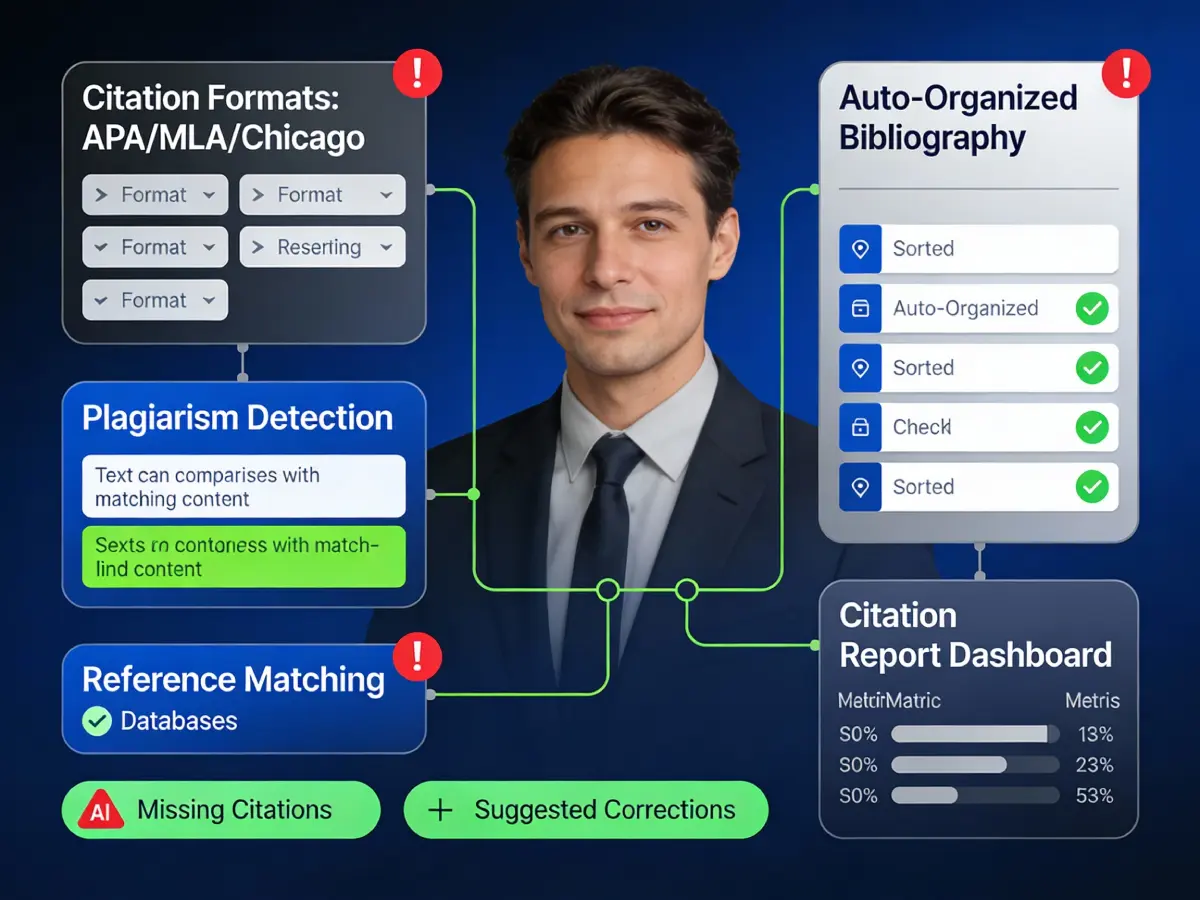
Proper citations maintain academic integrity and prevent plagiarism. AI tools automate citation formatting across styles (APA, MLA, Chicago) and scan manuscripts for unattributed content or accidental duplication. This ensures compliance with institutional standards and journal requirements.
Data Extraction & Analysis
Research papers contain valuable data—statistics, experimental results, findings—often embedded in tables or text. AI extracts this data automatically, organizes it for comparison, and helps synthesize findings across multiple papers. This accelerates meta-analysis and systematic review work dramatically.

Real-Time Writing Enhancement
Modern writing tools provide continuous feedback during composition. Grammar corrections, clarity improvements, tone adjustment, and academic language suggestions appear as you write—building good habits and accelerating editing cycles. This transforms writing from post-composition activity to integrated improvement.

Recommended Tool Stacks by Researcher Profile
No single tool excels at everything. Smart researchers combine complementary tools into stacks addressing their complete workflow. Here are proven combinations for different academic profiles:
Student (Budget-Conscious, Thesis-Focused)
Stack: Semantic Scholar (free discovery) + Grammarly (free writing) + NotebookLM (free learning)
Cost: $0
Workflow: Discover papers free → Convert to audio summaries → Compose with grammar checking → Cost remains zero
Why This Works: Free tools cover all essential phases, no budget barrier to adoption
Researcher (Systematic Review & Publication Focus)
Stack: Elicit ($10/month for literature review) + Paperpal (writing enhancement) + Unriddle (collaboration)
Cost: ~$40/month
Workflow: Systematic search with automatic data extraction → Enhanced writing for journal submission → Collaborative paper analysis with team
Why This Works: Covers research automation through publication preparation, supports team collaboration
Graduate Student (Comprehensive Workflow)
Stack: Semantic Scholar + Elicit (research) + Jenni AI ($10-30/month for writing acceleration) + Paperpal (final polish) + SciSpace (submission prep)
Cost: ~$50-80/month (if using premium Elicit, Jenni, Paperpal)
Workflow: Discover → Extract data → Generate first drafts → Enhance writing → Prepare for journal submission
Why This Works: Comprehensive coverage from discovery through publication-ready manuscript
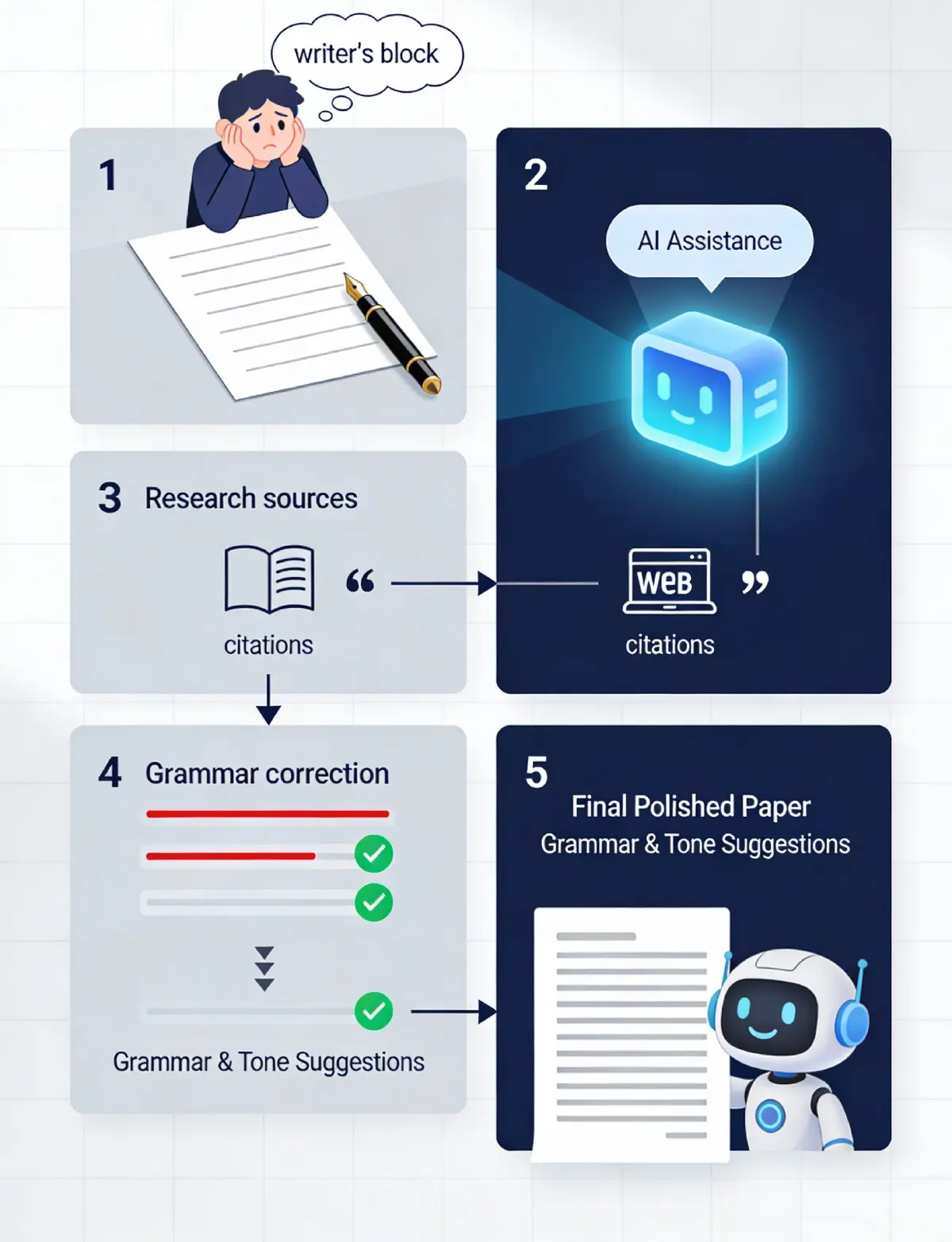
The Paper Refinement Cycle: From Rough Draft to Publication
Professional academic writing follows iterative cycles. AI tools support this process at every stage, helping researchers identify weaknesses, refine arguments, and achieve publication readiness.
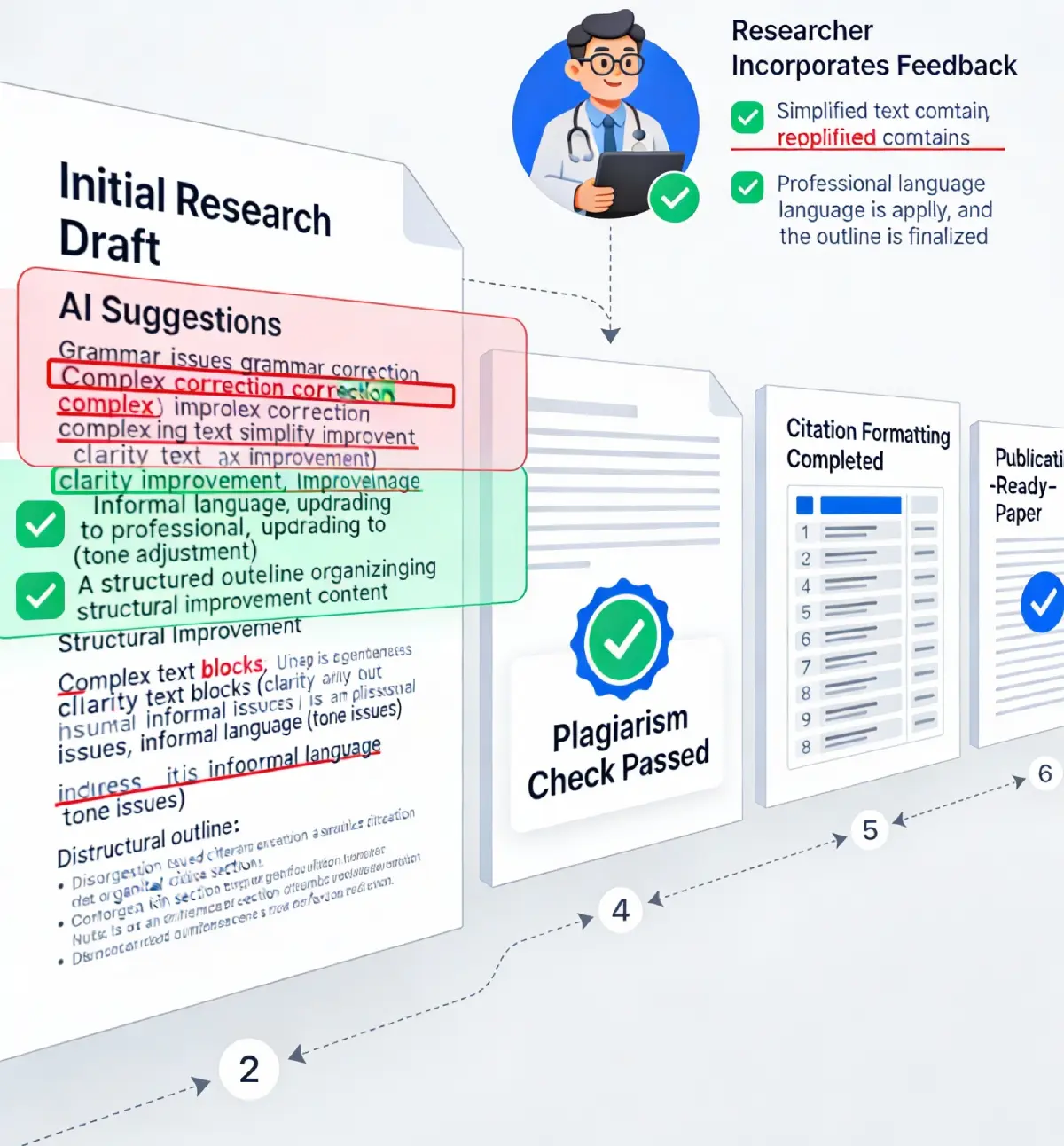
Stage 1: Initial Composition (Draft)
Start with outlines and rough thoughts. Tools like Jenni AI accelerate initial drafting through AI-assisted paragraph expansion. Focus on capturing ideas; refinement follows later.
Stage 2: Writing Enhancement
Run manuscripts through Grammarly and Paperpal. These tools identify grammar issues, suggest clarity improvements, optimize academic tone, and flag potentially plagiarized sections.
Stage 3: Research Integration
Review your citations and findings. Use Unriddle to re-read key papers, verify claims, and ensure proper attribution. AI citation tools check formatting compliance.
Stage 4: Plagiarism Verification
Run manuscript through plagiarism detection (Grammarly Premium, Paperpal, or SciSpace). Verify all sources are properly attributed. Resolve any unintentional duplications.
Stage 5: Submission Preparation
Use SciSpace or Paperpal's journal preparation tools. Format the manuscript for your target journal, ensure citations match journal standards, and verify manuscript components meet requirements.
Frequently Asked Questions About Academic AI Tools
University policies vary significantly. Leading institutions now distinguish between AI use that enhances academic integrity (literature discovery, citation management, grammar improvement) versus AI misuse that undermines it (submitting AI-generated content as original work). Many universities explicitly permit AI tools for research assistance while prohibiting AI-generated content without disclosure. Check your institution's specific AI policy. The general consensus: transparency matters. Disclose your AI tool use in methodology sections and acknowledge AI assistance in acknowledgments—this demonstrates integrity rather than undermining it.
Tools like Turnitin now include AI detection, identifying AI-generated text patterns. However, these tools aren't perfect—they produce false positives and false negatives. The more reliable approach: human review. AI-generated text often lacks nuanced understanding, contains subtle inconsistencies, or misses discipline-specific context. For research integrity, focus on authentic synthesis of ideas rather than AI-generated content. Learn more about detecting AI-generated content to understand these limitations.
Yes, most modern tools support major citation formats: APA (6th and 7th editions), MLA (8th and 9th editions), Chicago (Notes and Bibliography or Author-Date), and IEEE. Some specialized formats (Harvard, OSCOLA for law) have less support. Grammarly, Paperpal, and SciSpace support the most formats. Always verify the tool covers your required format before committing. For unusual disciplines, dedicated citation managers (Zotero, Mendeley) offer more comprehensive format support than writing tools.
Reputable academic AI tools comply with GDPR, CCPA, and institutional data protection standards. Data is encrypted in transit and at rest. However, read privacy policies carefully: some tools may use your data for model improvement (check opt-out options). For sensitive research, institutional tools or on-premise solutions provide additional protection. Avoid uploading confidential data (identifiable patient information, trade secrets) unless absolutely necessary. Most tools allow you to maintain data ownership while still receiving AI assistance.
Free tiers typically offer core functionality: Semantic Scholar provides full paper access, Grammarly (free) catches grammar and basic clarity issues, NotebookLM (free tier) handles 100 notebooks. Paid upgrades provide: enhanced features (more suggestions, advanced analytics), higher usage limits (unlimited papers, more API calls), and priority support. For students, free tiers suffice for most needs. Researchers conducting large-scale literature reviews benefit from paid versions providing higher limits and advanced data extraction. Calculate your usage before upgrading—many students never need premium features.
Strategic integration reduces friction. Start with primary tools for your main tasks (e.g., Semantic Scholar for discovery), then add specialized tools for specific needs (Unriddle for paper analysis, Grammarly for writing). Use browser extensions and integrations where available (Grammarly works in Google Docs). Create a documented workflow: "Discover papers → Extract findings → Compose draft → Polish with Paperpal → Check plagiarism → Format for submission." Over time, tools become automatic; you focus on thinking, not software. Avoid tool overload—3-4 well-chosen tools outperform juggling 10 barely-used options. Your department may offer institutional licenses (check with your research office) that provide free premium versions.
No. AI tools provide excellent first-pass editing (grammar, clarity, obvious issues) but lack human judgment about scientific accuracy, methodological soundness, and discipline-specific conventions. Use AI tools for mechanical improvement, human editors for critical feedback. For important work (dissertations, journal submissions), combine AI enhancement with human expert review. Many universities offer free editing services through writing centers—combine these with AI tools for comprehensive improvement. The optimal approach: AI handles routine improvements, humans address substantive issues.
Immediate improvements (first project): Literature discovery accelerates dramatically—what takes weeks manually completes in days. Writing quality improves noticeably after one edited paper. Dramatic time savings appear within 2-3 weeks as you develop workflow muscle memory. Long-term benefits compound: researchers adopting AI tools consistently report 30-40% overall productivity improvement after 2-3 months. The learning curve is minimal—most tools are intuitive. Your biggest time investment upfront comes from identifying which tools match your specific workflow, not learning tool operation.
Grammarly excels for international writers, providing extensive explanation of corrections (not just fixes). Paperpal offers discipline-specific language suggestions helping non-native writers adopt domain conventions. NotebookLM supports audio content in multiple languages, useful for learning complex concepts. Jenni AI assists composition in several languages. The general pattern: tools designed for clarity and learning (Grammarly, Paperpal, NotebookLM) help international researchers most. Avoid tools assuming native-speaker context. Combine AI tools with human editors familiar with academic English conventions—this partnership yields the best results for international researchers.
Getting Started: Implementation Guide for Researchers
Step 1: Assess Your Workflow
Answer these questions: Do I spend more time on literature discovery or writing composition? Do I need plagiarism detection? Do I require team collaboration features? Do I need to submit to specific journals? Your answers guide tool selection. A student writing one thesis needs different tools than a researcher conducting systematic reviews for publication.
Step 2: Start With Free Tiers
Before paying, test free versions. Semantic Scholar's free tier is genuinely comprehensive—most researchers never need to upgrade. Grammarly free covers basics. NotebookLM's free tier provides substantial value. Spend 1-2 weeks with free tools understanding your actual usage before upgrading.
Step 3: Build Your Initial Stack
Choose 2-3 complementary tools rather than one jack-of-all-trades. A typical stack: Semantic Scholar (discovery) + Grammarly (writing) + Unriddle (paper analysis). This combination covers core research-writing workflow efficiently.
Step 4: Document Your Workflow
Write down your research process and where each tool fits. "Papers discovered in Semantic Scholar → Analyzed in Unriddle → Cited in manuscript → Checked in Grammarly → Final check in Paperpal." Documentation helps teammates adopt the same tools and ensures consistency.
Step 5: Iterate Based on Results
After 3-4 papers, assess what's working. Do you use all selected tools? Which ones delivered most value? Are there gaps remaining? Adjust your stack based on actual experience rather than pre-purchase assumptions.
Moving Forward: AI as Academic Enhancement
The integration of AI tools into academic research represents not a shortcut around intellectual rigor but an enhancement of it. By automating literature discovery, improving writing quality, and catching errors systematically, these tools liberate researchers to focus on original thinking—the true heart of academic work.
The emerging standard: Modern researchers expect AI support. Universities increasingly require information literacy training that includes understanding AI tool capabilities and limitations. Graduate programs now teach students responsible AI use alongside traditional research methods.
The tools covered here represent the cutting edge of 2026 academic technology. The field evolves rapidly—new capabilities emerge regularly. However, the fundamental principles remain constant: choose tools aligned with your workflow, start with free options, build integrated stacks rather than relying on single solutions, and maintain transparency about tool use.
Your competitive advantage as a researcher comes from thinking better, not working longer. AI tools enable exactly that—extending human analytical capability while preserving the originality and integrity that makes academic work meaningful.
Ready to explore more academic and productivity AI? Discover AI tools for students and education, explore best AI writing tools and generators, or learn how to use AI for SEO to extend these research principles to digital marketing. Browse our complete directory of 1,700+ AI tools to find solutions for every academic and professional need.