

Tactiq
Tactiq transcribes Google Meet, Zoom, and Teams calls live and gives you a summary before you close your laptop.



Overview
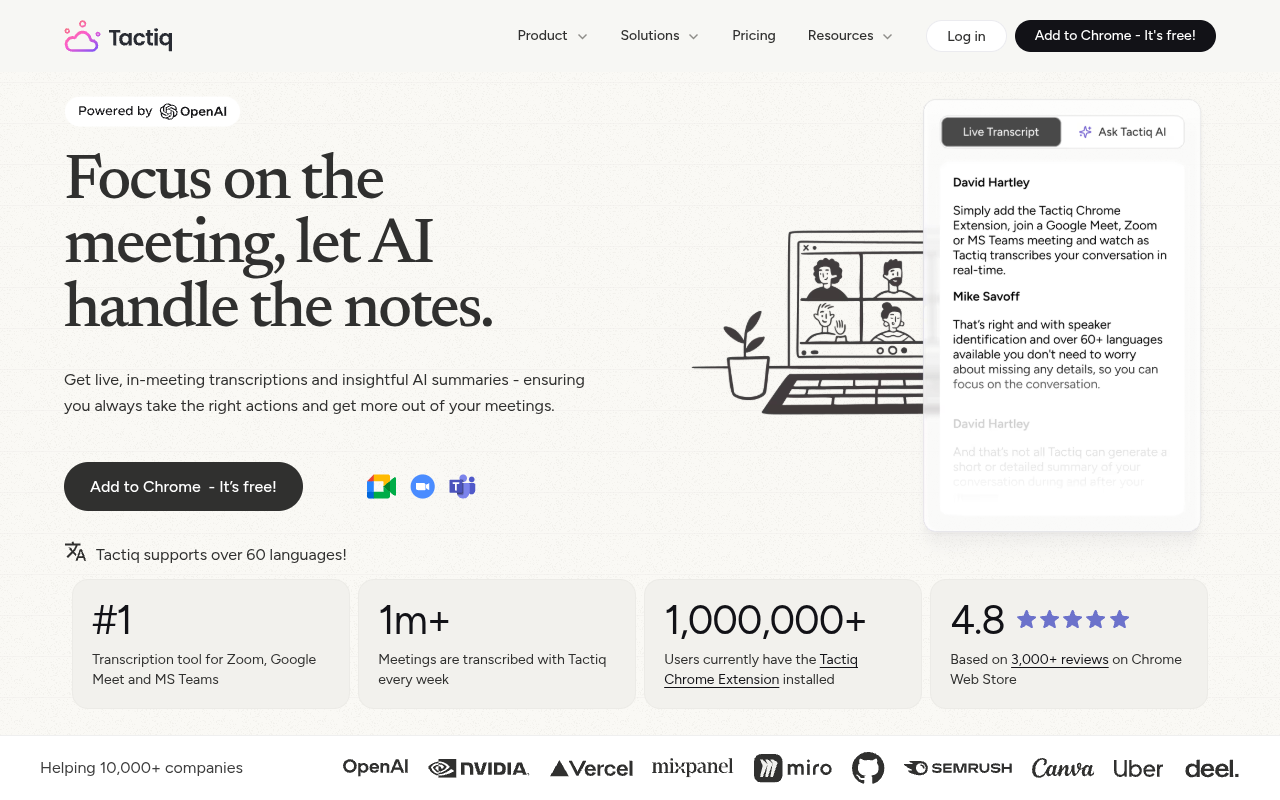
Tactiq is an AI note taker that transcribes Google Meet, Zoom, and Microsoft Teams meetings in real time. It generates summaries, action items, and answers custom questions about the conversation without a bot joining the call. The tool works as a Chrome extension and is used by over 10,000 companies including OpenAI, NVIDIA, and Uber.
Tactiq is a practical meeting transcription tool that lives in your Chrome browser and works with Google Meet, Zoom, and Microsoft Teams. It transcribes conversations live, then uses AI to produce a summary, pull out action items, and let you ask specific questions about what was said. The big differentiator here is that no bot joins your meeting — the transcription happens locally on your end, so you are not cluttering the participant list or triggering awkward notifications. That alone makes it more comfortable to use in client-facing calls compared to tools like Otter or Fireflies.
The tool serves a wide audience: project managers who need to track decisions, sales reps who want call recaps, and remote workers who juggle multiple time zones. With support for over 60 languages, it also helps non-native speakers catch details they might have missed. Tactiq integrates with Slack, Notion, Linear, and HubSpot, so you can push notes into your existing workflow automatically. The free tier gives you 10 transcriptions per week, which is enough for a handful of team meetings. The Pro plan at $10 per month removes the cap and adds custom AI prompts and workflow automations. Enterprise customers get SOC-2 compliance and admin controls.
In practice, the summaries are accurate and the action item extraction is genuinely useful. The main limitations are the Chrome-only restriction and occasional speaker confusion in fast group conversations. It is not a replacement for a dedicated meeting recorder if you need full audio archives, but for quick, clean text notes, it works well. The pricing is fair for what you get, and the free tier is genuinely usable for light meeting schedules.
Key Features
Live Transcription
Transcribes Google Meet, Zoom, and Teams calls in real time without a bot joining the meeting.
AI Summaries
Generates a meeting summary in about 3 seconds so you do not have to rewatch or reread the whole transcript.
Action Items
Automatically extracts tasks and assigns them to speakers based on the conversation.
Ask AI
Lets you type custom questions about the meeting and get answers pulled directly from the transcript.
Workflow Automations
Sends transcripts and summaries to Slack, Notion, Linear, HubSpot, and other tools automatically.
Multi-Language Support 2
Transcribes and summarizes meetings in over 60 languages with accurate speaker identification.
Pricing Freemium
Free
- 10 transcriptions per week
- Basic summaries and action items
- Speaker identification
- 60+ language support
Pro
- Unlimited transcriptions
- AI summaries and custom prompts
- Workflow integrations
- Priority support
Enterprise
- SOC-2 Type II compliance
- Admin controls and SSO
- Custom integrations
- Dedicated account manager
Pros & Cons
Pros
- No bot joins the meeting, keeping participant lists clean
- Supports over 60 languages with accurate speaker identification
- One-click summaries produce usable notes in under 5 seconds
- Integrates with Slack, Notion, Linear, and HubSpot out of the box
- Free tier offers 10 transcriptions per week for light users
Cons
- Free plan caps at 10 transcriptions per week, which may not be enough for heavy meeting schedules
- Works only as a Chrome extension, excluding Safari and Firefox users
- Occasionally misidentifies speakers in fast-paced group discussions with overlapping talk
Frequently Asked Questions
Does Tactiq record the audio from my meetings?
No. Tactiq does not record or store audio. The transcription happens in real time and is saved as text only, so there is no audio file floating around.
Will other meeting participants see that I am using Tactiq?
No, the transcription appears only on your screen. You can choose to notify others, but it is not automatic.
Does Tactiq work with languages other than English?
Yes, it supports over 60 languages. I tested it in Portuguese and it handled the conversation accurately.
Is my data private and secure with Tactiq?
Tactiq has SOC-2 Type II attestation and does not send your data to train OpenAI models. You can review their Trust Center for full details.
Can I use Tactiq on mobile or with Safari?
Currently Tactiq is a Chrome extension, so it works best on desktop with Chrome. Mobile and other browsers are not officially supported.
35 Alternatives to Tactiq

Noty
AI meeting assistant that transcribes, summarizes, and assigns tasks from...
Sembly AI
Meeting intelligence platform for transforming conversations into actionable insights.
Adobe Acrobat AI
PDF Interaction with AI-Powered Tools
AI Text Summarizer
Summarize Long Text in Seconds with Chat Support
Amie
Record, summarize, and action every meeting without a bot joining...
Anglesapp
Unlock knowledge quickly with personalized AI book summaries.Traffic Data
Traffic Sources
Top Countries
 Brazil
28%
Brazil
28%
 United States
10.9%
United States
10.9%
 Peru
4.8%
Peru
4.8%
 Argentina
4.4%
Argentina
4.4%
 Indonesia
4.4%
Indonesia
4.4%
Top Keywords
Engagement Metrics
User Reviews
Be the first to review Tactiq
Please log in to leave a review.