
How to Use the AI Quiz Generator
Follow these simple steps to create professional quizzes in seconds using our AI-powered quiz generator.
Choose Your Input Method
Select from four powerful input options: paste text or enter a topic, upload files (PDF, Word, PowerPoint, images), enter a website URL, or use a YouTube video link. Each method extracts content intelligently to generate relevant quiz questions.

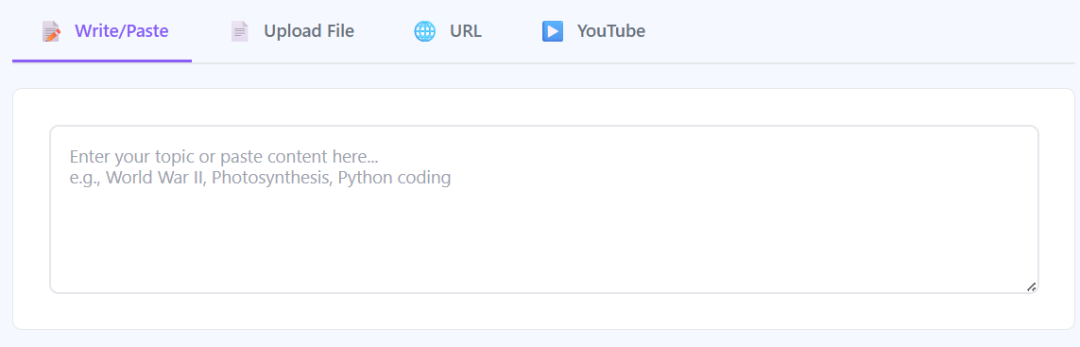
Enter Your Content or Topic
Type a topic keyword like "World War II" or paste full text content directly into the text area. The AI will analyze your input and extract key concepts to create meaningful quiz questions. You can also upload documents or provide URLs for automatic content extraction.
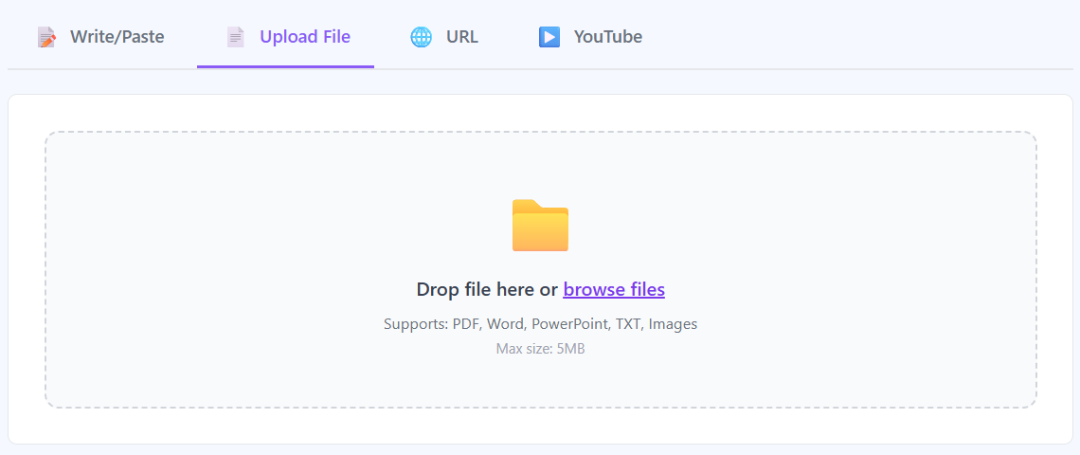
Upload Files (Optional)
Drag and drop or browse to upload PDF documents, Word files, PowerPoint presentations, or images. The AI will extract text content from your files and generate quiz questions automatically. Supports files up to 5MB in size.
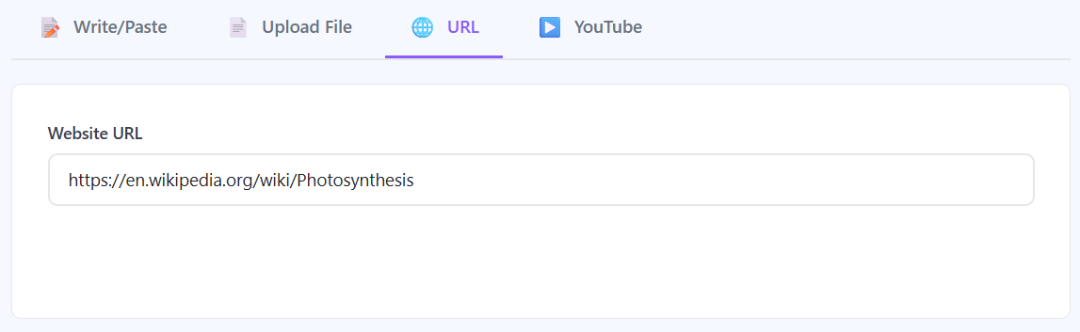
Add Website URL or YouTube Link
Enter any webpage URL to scrape article content, or paste a YouTube video link to extract quiz questions from video transcripts. Perfect for creating quizzes from online educational resources, blog posts, or video lessons.
Configure Quiz Settings
Customize your quiz by selecting the type (Multiple Choice, True/False, Short Answer, or Mixed), number of questions (5-20), difficulty level (Easy, Medium, Hard), and language. Choose from over 15 languages including English, Spanish, French, German, and more.

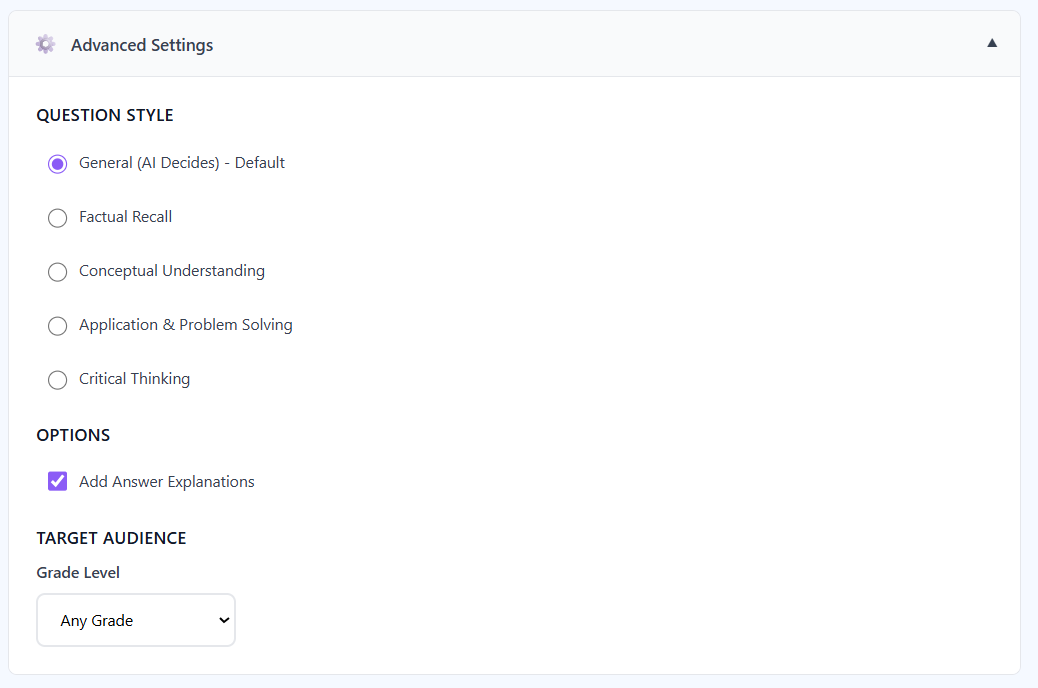
Adjust Advanced Settings (Optional)
Fine-tune your quiz with advanced options: select question style (factual recall, conceptual understanding, application, or critical thinking), toggle answer explanations on or off, and set the target grade level from elementary to professional.
Generate Your Quiz
Click the "Generate Quiz" button and watch as AI creates professional quiz questions in real-time. The generation process typically takes 15-30 seconds depending on content length and complexity. A progress bar shows the AI processing your content.

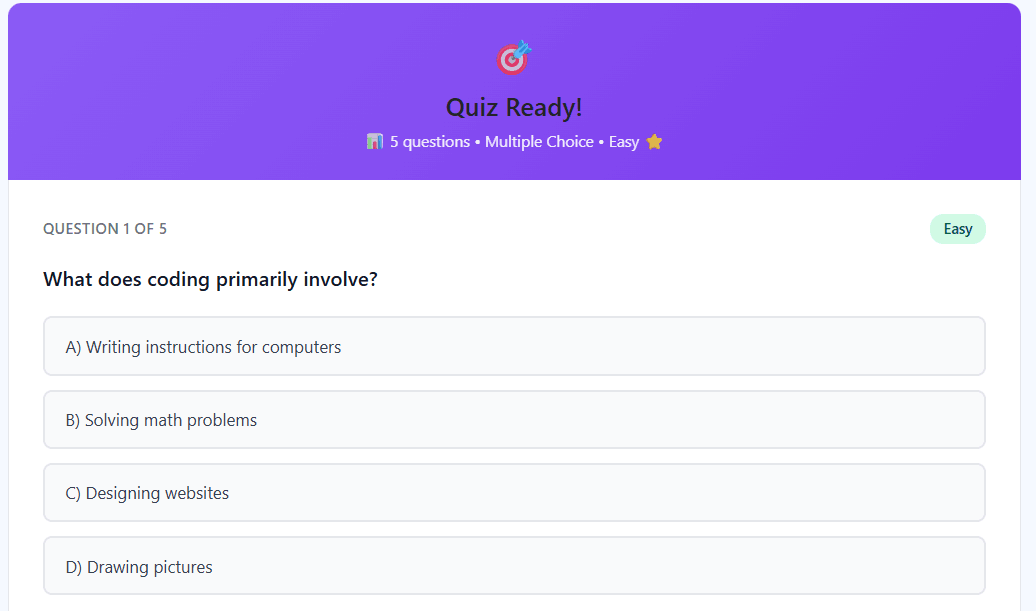
Review Generated Questions
Your AI-generated quiz appears with all questions, multiple choice options, and difficulty badges. Each question is professionally formatted and ready to use. You can take the quiz interactively by selecting answers for each question.
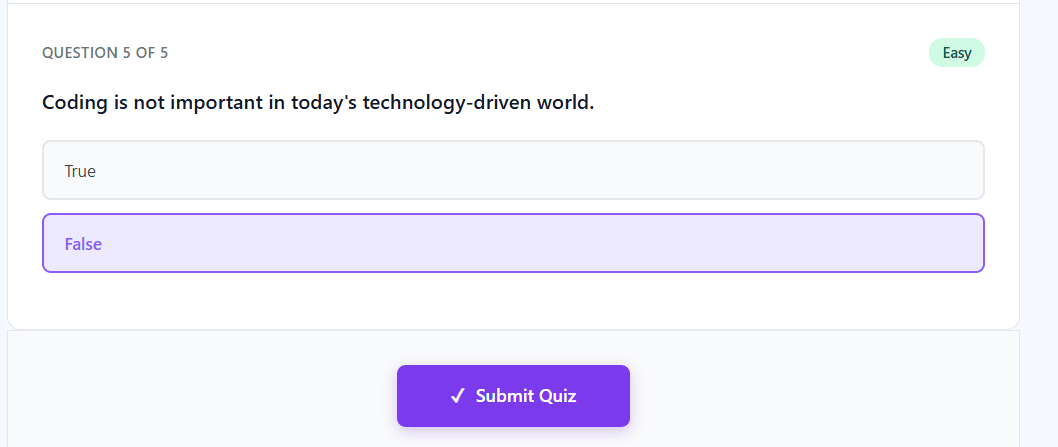
Submit Your Answers
After answering all quiz questions, click the "Submit Quiz" button at the bottom to check your answers. The AI will instantly grade your quiz and reveal which answers were correct or incorrect with detailed explanations for each question.
View Your Score and Results
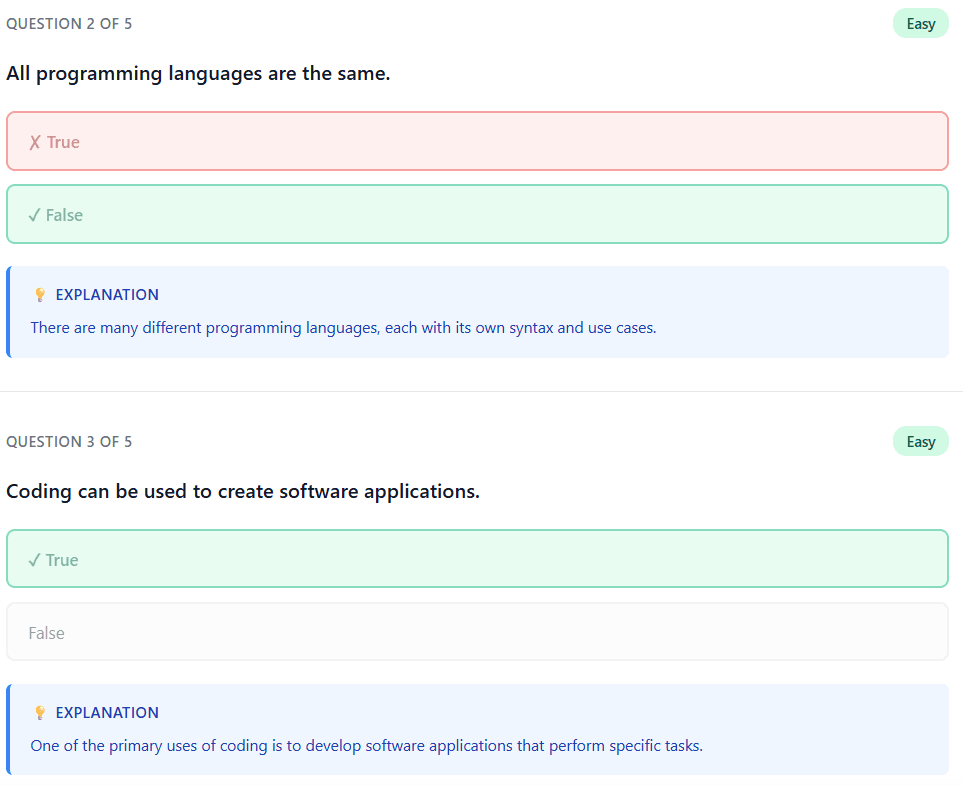
See your final score displayed as a percentage and fraction (e.g., "8/10 - You scored 80%"). The quiz results show all correct answers in green with checkmarks and incorrect answers in red with X marks, plus AI-generated explanations for better learning.

Review Answers and Explanations
Scroll through your completed quiz to see which questions you answered correctly or incorrectly. Each question includes AI-generated explanations that help you understand the reasoning behind correct answers, making this perfect for studying and learning.
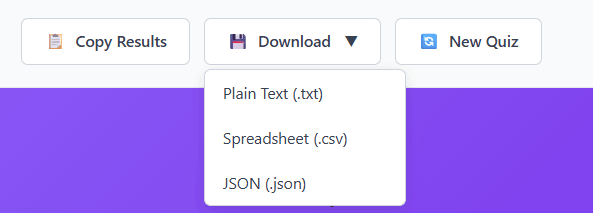
Download or Share Your Quiz
Export your quiz in multiple formats: copy to clipboard, download as plain text (.txt), spreadsheet (.csv), or JSON (.json) format. Perfect for importing into learning management systems, sharing with students, or archiving your quizzes for future use.
Powerful AI Quiz Generator Features
Everything you need to create engaging, educational quizzes in seconds.
Multiple Input Methods
Generate quizzes from text, uploaded files (PDF, Word, PowerPoint, images), website URLs, or YouTube video transcripts. Maximum flexibility for any content source.
15+ Languages Supported
Create quizzes in English, Spanish, French, German, Italian, Portuguese, Dutch, Russian, Chinese, Japanese, Korean, Arabic, Hindi, Turkish, Polish, and more.
Multiple Quiz Types
Choose from Multiple Choice, True/False, Short Answer, or Mixed quiz formats. Each type is optimized for different learning and assessment goals.
Instant Generation
AI creates professional quiz questions in 15-30 seconds. No more spending hours manually writing questions and researching answers.
AI-Powered Explanations
Every question includes detailed AI-generated explanations that help learners understand why answers are correct, enhancing educational value.
Adjustable Difficulty
Set difficulty levels (Easy, Medium, Hard) and target grade levels from Elementary (K-5) to Professional. Perfect for any audience.
Multiple Export Formats
Download quizzes as TXT, CSV, or JSON files. Easily integrate with learning management systems, Google Classroom, or share with students.
Interactive Quiz Taking
Built-in interactive quiz interface lets you take the quiz immediately, submit answers, and see instant results with correct/incorrect feedback.
100% Free to Use
No signup required, no credit card needed, no hidden fees. Generate unlimited quizzes completely free with our AI-powered tool.
Who Uses AI Quiz Generators?
Discover how educators, trainers, students, and content creators use AI quiz generators to save time and create engaging assessments.
Teachers creating classroom quizzes and homework assignments for students
Students generating study quizzes from lecture notes and textbook chapters
Training departments building employee onboarding and compliance assessments
Content creators making interactive social media quizzes for engagement
Course creators developing assessments for online courses and certifications
Coaches and consultants creating client assessment tools and diagnostics
Bloggers generating lead magnets with downloadable quiz PDFs
YouTubers creating companion quizzes from their educational video content
HR teams developing skills assessment tests for hiring and promotions
Researchers creating knowledge checks for study participants and surveys
Frequently Asked Questions
How does the AI quiz generator create questions from content?
The AI quiz generator uses advanced natural language processing (NLP) to analyze your content, extract key concepts, and generate relevant questions. It identifies important facts, relationships, and themes, then creates questions that test comprehension at your selected difficulty level. The AI is powered by GPT-4o-mini, ensuring high-quality, contextually accurate quiz questions with detailed explanations.
What file types can I upload to generate quizzes?
You can upload PDF documents, Microsoft Word files (.doc, .docx), PowerPoint presentations (.ppt, .pptx), plain text files (.txt), and images (.jpg, .jpeg, .png). The maximum file size is 5MB. The AI automatically extracts text content from documents and uses OCR (optical character recognition) for images to generate quiz questions from your uploaded files.
Can I generate quizzes from YouTube videos?
Yes, you can create quizzes from YouTube videos that have captions or transcripts enabled. Simply paste the YouTube video URL into the tool, and the AI will extract the transcript content to generate relevant quiz questions. This works for educational videos, tutorials, lectures, and any video with available captions in multiple languages.
How accurate are the AI-generated quiz answers?
The AI generates highly accurate answers based on the content you provide, with an accuracy rate typically above 90%. However, we recommend reviewing and fact-checking quiz questions before using them for high-stakes assessments. The AI is trained on vast amounts of data but may occasionally make errors, especially with highly technical or niche topics. Always verify critical information for academic or professional use.
What languages does the quiz generator support?
The AI quiz generator supports 15+ languages including English (US & UK), Spanish, French, German, Italian, Portuguese, Dutch, Russian, Chinese (Simplified), Japanese, Korean, Arabic, Hindi, Turkish, and Polish. You can input content in any language and generate quiz questions in your selected output language. This makes it perfect for international education, language learning, and multilingual training programs.